If your package manager is empty, autotracker isn't working, or you can't update, make sure you have re-downloaded and installed the latest update. See #announcements for details.
qwertymodo2018-12-08 21:43
I know how user overrides work, I'm mostly asking what to put into the json file, if it's possible
hmm... that leaves a border of the default color, but I can crop it in OBS I guess(edited)
EmoSaru2018-12-08 21:49
The problem is the margin on the outermost element. You can move the margin setting to the next element in to eliminate that gap.
qwertymodo2018-12-08 21:50
bingo, that did it, thanks
21:53
I realized today that the aspect ratio on my game capture has been wrong for who knows how long, so I've been fixing up that and a few other minor, annoying issues I've been too lazy to get around to, like that BG color
21:54
Pretty happy with the result
JRJathome2018-12-08 21:55
Nice. Are you keeping the pinned items in your broadcast view? I noticed those were covering your splits the last couple times I watched.
qwertymodo2018-12-08 21:55
I think the last 2 things are to clean up the scaling on the LiveSplit and chat panels, it's blurring a bit
21:55
@JRJathome I just removed those from the broadcast view, so that shouldn't be an issue anymore
21:55
I usually keep broadcast view behind other windows so I hadn't realized that was happening until I watched a VOD looking for a clip and noticed it
21:56
what I really need is for my ISP to finally get around to that gigabit FttH rollout they've been promising so I can stream 1080p60...
Natalie2018-12-08 21:59
That'll probably happen some time around 2040 when they realize technology's advanced so far without them that they can't beam subliminal messages into your mind without high speed streaming
21:59
/s
qwertymodo2018-12-08 22:00
nah, it's a small town ISP, and they just bought a bunch of heavy machinery to do the install, so it's not like having Comcast tell you it's "coming soon to your area"
22:00
not sure what the hangup was, but it's definitely happening
22:01
but now the ground is frozen, so nothing's going to happen until spring
EmoSaru2018-12-09 02:29
Just to folllow up... the chathud crash on windows 7 should be fixed on 2.1.0.8, which I just released. The middleware I use for twitch integration made a change that caused this issue. If you still experience it on 2.1.0.8, please let me know ASAP.
jan2018-12-09 06:52
hey, is there an easy way to change the default install directory for emotracker? i manually moved the folder and now every update it installs it in the old location?
At Build 2018, I outlined our approach to helping you be more productive when developing apps, including the introduction of .NET Core 3.0. We also started decoupling many parts of the Windows development platform, so you can adopt technologies incrementally. Today at Microso...
10:51
any hope of a multi platform release now that WPF is open source?
Drenn2018-12-09 10:52
microsoft said they're not accepting pull requests for WPF on other platforms
@jan it should work if you uninstall and reinstall with the new directory selected?
jan2018-12-09 12:03
@EmuSaru yeah it probably will but i thought maybe its just a reg file to edit or something
MikeTrethewey | Axiom Verge2018-12-09 17:52
@EmuSaru: If Emo made an emulator.
Espy the Espeon2018-12-11 05:36
if emo made an emulator i would totally see it having some sort of internal tracker support, maybe live updates to trackers, would be nice, and hard
05:37
but a nice potential future for projects
EmoSaru2018-12-11 10:44
Right now, auto tracking is not a matter of whether it’s possible. There’s a community standard for competition that prohibits it, and there’s no way to enforce that it not be used in competition. Ergo, I don’t support it. If either of those things change, I’ll add it. It’s not hard, at least with emulators and flash carts supported by connectorlib.
Espy the Espeon2018-12-14 06:25
makes sense, the competitions are made of two parts, one part skill and one part knowledge, and the live tracker would eliminate the knowledge part pretty much
LostThePirate2018-12-14 18:15
There is also some skill to effectively using your tracker while racing.
Kelik2018-12-14 20:43
truth, been practicing using the tracker effectively
Usurper Grimm2018-12-16 13:52
is there a feature to allow chat to add items to the tracker? i thought I saw something about that but I cant remember
Hamsda2018-12-16 13:53
see #faq about chat hud commands
Usurper Grimm2018-12-16 13:54
thanks, i guess i just didnt scroll up enough
MarkAdelsberger2018-12-17 05:54
Apologies if I'm in the wrong place - I keep going back and forth about whether this is a support question or a suggestion, because I'm not sure if there's already a way to do it... Is there a way, while running the tracker (like ideally a keyboard shortcut) , to toggle having it ignore sequence breaks in setting location colors? I find the "partial" and "sequence-break" colors get confusing in certain cases, and it seems the easiest solution would be to be able to remove the complexity of sequence breaks from the color code. I'm currently testing overrides to the packs' location files (to just take out the sequence-breaking logic altogether), which is fine at least for now (because I figure if I know enough to think a sequence break is a good idea, then I don't necessarily need the tracker to tell me about it); but if there's a way to switch that behavior on and off, that would be even better (and easier, and I wouldn't have to run with a sprawling override file that could break on any given update). Thanks
SauceRelic2018-12-17 06:27
Yeah that's pretty much all you can do. That's why I used a second option set for sequence-breaking tricks since if they were all on all the time you'd have a screen full of yellow after getting a couple of items
EmoSaru2018-12-17 11:39
So, the problem I have with disabling sequence breaks is that there are a LOT of them, across a lot of games. In the case of LTTP, there are sequence breaks that are so ubiquitous that some people don’t even realize they’re breaks. Having options the user can set for which sequence breaks they know is a good idea in some cases, but requires pack specific solutions. As a general rule, I optimize for what people who know the game reasonably well need/want to see, because those are the use cases that matter in the long term - people learn over time.
11:41
It also conflicts with the way packs like mine communicate about dungeons that are potentially clearable but not necessarily, and e.g. adding another accessibility state and color for that is not going to make anything simpler.
11:43
All of that is to say that, while I understand what you’re reacting to and what you’re after, this is not a change I intend to make at this time.(edited)
Jeto2018-12-18 10:59
Is there any way to get back a place you marked already? Like if I missclick or smth
fylion2018-12-18 11:00
F11 to show all locations.
Jeto2018-12-18 11:00
Thanks for helpful and fast response ❤(edited)
Grumble2018-12-19 14:15
Hi all. I'm (very) new to rando runs, doing a no glitch normal seed. I'm at thieves town and don't have hammer, but it shows as green. Should I not read that as 'can clear fully'? I guess I can do everything but big key chest, but then I'd (maybe) have to go back later? Probably a very basic question
JRJathome2018-12-19 14:18
It shows up yellow to me. Which pack are you using?
Guaylabel2018-12-19 14:19
have you done the full dungeon?
Grumble2018-12-19 14:19
EmoSaru's pack for alttp. No, I've yet to kill the boss
Guaylabel2018-12-19 14:19
so u have the big key?
EmoSaru2018-12-19 14:19
Have you gotten four items and marked those chests?
Grumble2018-12-19 14:19
Yes, but I can't reach the big chest, right?
14:20
Yes, I opened the 4 chests I can reach
Guaylabel2018-12-19 14:20
need hammer for that
14:20
do u have compass map aswell?
EmoSaru2018-12-19 14:20
please post a screenshot of your tracker
Grumble2018-12-19 14:21
14:21
Probably just doing something dumb, I'm very new to this
EmoSaru2018-12-19 14:21
1) You have access to more than 4 chests
JRJathome2018-12-19 14:21
So the chest icon is only for non-dungeon items.
EmoSaru2018-12-19 14:21
2) You should be marking non-dungeon items that you get. Not chests.
Grumble2018-12-19 14:21
Ohhhh
14:21
Well that explains it
14:21
Thank you
Natalie2018-12-19 14:22
The "chest count" on the tracker is for the unique items (i.e. not Small Key, Big Key, Map, or Compass)
Grumble2018-12-19 14:22
I love this tracker so much by the way. I've seen a few rando runs and they seemed so much fun, but hard to get into.
14:23
So thank you for developing it
14:23
Yeah, gotcha. I didn't know.
Deleted User2018-12-19 14:23
I should try to do that rando sometime
arfles2018-12-21 19:55
Hi all, I was wondering if this was somehow compatible with Plays.me or something similar. OBS was just a bit overwhelming for me
JRJathome2018-12-21 20:02
Not familiar with that. Is it another streaming software?
arfles2018-12-21 20:04
yeah
20:04
it's like Streamlabs, I switched 'cause Streamlabs seemed a bit restricted
20:05
I don't mind switching again, if there's an easier software for this to work with ^^
JRJathome2018-12-21 20:06
It should still work. In EmoTracker, you can press F2 to open the broadcast layout, then capture that as a window capture source.
20:07
If Plays.me supports NDI, then you can capture the broadcast view with a transparent background.
arfles2018-12-21 20:08
I'll check to see if it does, I can't choose the window, that I see.
Natalie2018-12-21 20:10
That sounds somehow even more restricted than Streamlabs.
arfles2018-12-21 20:10
yeah, so it would seem
Natalie2018-12-21 20:10
I switched to OBS Studio from Streamlabs, personally
arfles2018-12-21 20:10
I tried OBS Studio, it was too open, I think
20:11
Though I honestly could have set it up wrong, too
Natalie2018-12-21 20:11
Streamlabs is okay for introductory work and experimenting, but last I checked it's. Not all there, really.
20:12
To my recollection, OBS Studio didn't take very much to set up and if you're at all familiar with Streamlabs you'll figure out pretty quickly that you've just taken off the training wheels
20:12
Less fluff, more function
20:12
..that and actual plugin support
20:12
which is great for NDI, which EmoTracker makes use of to provide a transparent capture of the broadcast view
20:13
Can't say I've heard of Plays.me either
JRJathome2018-12-21 20:14
I think they meant player.me since googling plays.me had no relevant results.
Natalie2018-12-21 20:14
lemme just hit up twitch for their recommendations, see if it's there .-.
20:15
squints suspiciously
20:15
I'm always a little wary of programs that tout the ability to tie into literally everything else.
arfles2018-12-21 20:17
So an overlay would just be an image you insert? I meant Player.me ^^;; It's been a day
Natalie2018-12-21 20:18
I mean, I suppose it looks pretty ambitious. Never poked my nose at anything outside of Streamlabs or OBS.
20:19
Support on specific broadcast software typically comes best from the community surrounding that software. I personally couldn't answer any question about anything that isn't OBS, so. Yeah.
20:20
I should hope, for how ambitions Player.me seems to advertise itself as being, that it's more than capable of adding capture sources to the scene.
20:21
Maybe they call it something different, I don't know. If you're looking for a transparent-background tracker overlay, find out if Player.me has built-in NDI support or if you need a plugin for it.
20:21
The things I know on that subject are Streamlabs doesn't yet support any kind of plugins and OBS Studio does.
arfles2018-12-21 20:22
Okay, Thank you. I'm trying to work with OBS right now, so I'll see how far I get with that, and their tutorials. ^^
Natalie2018-12-21 20:23
Given the range of options, I'd say don't get too invested in any one stream software until you've learned what they can offer and determined how what they offer can benefit you.
arfles2018-12-21 20:25
Yeah, that's why I had NO problems with switching, it just seems like a lot ^^;;
Natalie2018-12-21 20:26
As you get more and more into it, you may decide you want some of what another software offered.
Doctor Blue2018-12-22 05:27
Silly question, and this is probably common so apologies, but: Is it possible to save progress/load progress?
rand(0)2018-12-22 05:27
#faq
05:27
tl;dr: yes
Doctor Blue2018-12-22 05:31
Outstanding
Hamsda2018-12-22 05:32
what the hell are you talking about?
LittleMsArcade2018-12-22 17:02
hi, i cant open my emotracker anymore . i have message saying : value cannot be null. parameter name : streamer
17:02
i just intstall the tracker for oot
Natalie2018-12-22 17:03
There are about eight different competing packages for OoTR.
17:03
Slight hyperbole, but not far off the mark. Which one from who did you install that you believe caused this?
LittleMsArcade2018-12-22 17:04
i dont remember i think zootr map tracker
17:05
how do i fix this i try to unistall and reinstall it 3 times did'nt work
Natalie2018-12-22 17:07
Can you path to Documents\EmoTracker\packs and find the filename of the package?
17:07
I'd just like to find out whether this is user error or an actual issue with a package.
LittleMsArcade2018-12-22 17:09
ootrando_overworldmap_hamsda
Natalie2018-12-22 17:11
After updating to the newest version of that package and checking all variants, I believe the package is not to blame.
17:12
Have you made any modifications to anything yourself?
LittleMsArcade2018-12-22 17:12
i just deleted it
17:12
and now its working
Natalie2018-12-22 17:18
If deleting and reinstalling the package fixed it, then maybe there was a brief moment where something slipped through and you downloaded it at the wrong time.
arfles2018-12-22 23:13
I was able to get the SMZ3 tracker to show using OBS. Thank you all for your help last night. It can be daunting to find things when there's SO much information.
Natalie2018-12-22 23:15
Don't let it all overwhelm you. Take it slow, find out what you need and want and what you have to do to do the thing.
arfles2018-12-23 00:39
Yeah, just starting w\obs studio it's completely open. No clue where to start. That's why I did streamlabs, then player.me.
Gravy_The_Gator2018-12-29 12:44
is there a known issue with trying to install a package but it just not installing?
EmoSaru2018-12-29 14:04
There is some information on this in #faq
14:04
If you are still having issues after following that process, post in pack support for the pack you’re trying to update/
Falcon2018-12-30 22:38
Hello.
I completed a first seed today on OOT and I used the map/item tracker (Hamsda). I kept the json file of the tracker, and for my own curiosity, I'm curious to see how many verifications I made during the seed (and also how many locations are available in the game). Is there a way to know that ?
JRJathome2018-12-30 22:43
You can press F11 to show all locations.
22:43
If you're looking for a specific number, I'm not sure that's supported.
Falcon2018-12-30 22:43
Yes, but that includes all skultullas, and all dots have multiple items, so it's a pain to count.
22:44
THe only way would be to somehow analyse the json file. I'm just not really good with that, so I was wondering if there was a hidden function somewhere.
johncarls2018-12-31 16:44
heyyyyy! would anyone be able to help me with my broadcast.json
16:44
and be able to direct me on how to change the colors on the map tracker
JRJathome2018-12-31 16:50
For the second part, I assume you mean the colors of the location squares? Emo's got that answered in #faq under Color Blind Support for Map-Enabled Packs
16:53
She also provided an example json that turns the sequence break color from yellow to magenta.
OrangeNova2019-01-04 14:12
Could anyone let me know what the json type is for item counts? and probably how to set it to off if at 0?
Lechtansi2019-01-04 15:03
you can add in a "disabled_img" so that when its 0 it shows a different image
58.png is the closed chest icon, 59.png is the open chest icon
OrangeNova2019-01-04 15:06
awesome, thanks!
Lechtansi2019-01-04 15:08
i set the max quanity to higher than the initial quantity, so it doesn't show green. and i swap actions so it decreases when i click, instead of increments
OrangeNova2019-01-04 15:11
I'm trying to make a pack for the soul blazer randomizer in this, but I seem to be stuck at the layout portion
15:12
Okay, so no including swap, max is good, I like the initial option there too
EmoSaru2019-01-04 15:21
FYI, I recommend keeping discussions about this type of stuff in #customization-support - that's where most of the questions about editing the various JSON contents go, and can be found, etc.
15:21
Pack creation is more or less identical to pack customization, so I keep it together.
OrangeNova2019-01-04 15:23
Oh, okay thanks!
EmoSaru2019-01-04 15:23
No problem! Good luck with your pack!
OrangeNova2019-01-04 15:23
Thanks, the layout is still wracking my brain, I'm making it by editing an existing pack, but I think I axed too much
EmoSaru2019-01-04 15:26
One thing I will say is that any time you are using a pack for reference, start with my LTTP pack. It's generally using the most up to date stuff. Other packs have done some very neat things though, and also make good references, so long as they are not using the legacy format stuff.
OrangeNova2019-01-04 15:27
Started with yours, figured top of the list, most up to date... Incidentally, I seem to be getting an exception in loading legacy layout data that it can't be null
EmoSaru2019-01-04 15:30
If it's attempting to load legacy layout data, and you're using my pack as a base, then you have an issue in your pack
15:30
There are some standard layout names you need to provide from a layout file that you load in your init.lua
15:30
failing to do so will cause the tracker to think it needs to load legacy data
OrangeNova2019-01-04 15:31
ahhh okay, I did rip a bunch out of that that looked unneeded, whoops
EmoSaru2019-01-04 15:31
is your tracker a fixed-size items tracker, or are you supporting a map?
OrangeNova2019-01-04 15:31
fixed items
EmoSaru2019-01-04 15:33
for fixed-size trackers, you'll want to provide tracker_default and tracker_broadcast
15:33
resizable (usually map-enabled) trackers can provide tracker_horizontal and tracker_vertical
OrangeNova2019-01-04 15:33
ah okay, yeah I'm looking back at it now, that makes a lot of sense
OrangeNova2019-01-04 15:42
Got it! now it;s just tweaks from here. Thanks a lot
EmoSaru2019-01-04 15:43
No problem
A System of Vibrant Colors2019-01-05 09:43
Is there any way to customize the background of the tracker "easily"?
EmoSaru2019-01-05 09:51
You can change solid color using a layout override. If you’re talking about on stream, I recommend using NDI to capture it, as it can do a transparent background without having to futz with a color key. I’m leaving for the airport for GDQ now, but #customization-support is where you want to be.
A System of Vibrant Colors2019-01-05 10:30
Alright, actually I was just playing with color keys so I'll look at that ^-^'
Cubix2019-01-05 11:10
How do you update a pack?
11:13
Op, nevermind!
ToxicFrog2019-01-06 07:30
Is there a way I can ask it to show all accessible items in "pinned items" all the time, rather than needing to select them on the map?
GitHub Gist: instantly share code, notes, and snippets.
Sal the Dragon2019-01-06 11:22
Nah, you've got to pin them yourself
11:23
One at a time. You just need practice with fast clicking and mouse movements
EmoSaru2019-01-06 12:47
Trust me when I say that pinning everything automatically results in an unreadable mess
12:47
I don’t recommend it
JRJathome2019-01-06 12:49
Pinned a message.
Lechtansi2019-01-06 12:56
In the past Iv created a “starting save state” with some of the more important pins that I load every time I start a new seed.
Adog2019-01-06 13:16
Hi there im having trouble with the Twitch chat integration
13:17
I edited my json settigns file to include my channel
13:17
and i also connected in the emo tracker at the bottom right
13:17
but None of the commands are working
ToxicFrog2019-01-06 13:19
@EmoSaru I'm coming at this from another tracker (without a map) that basically does that and it works OK for me, but it also uses a much more compact display.
And I'm not a speedrunner, so that probably affects my UI preferences significantly.
Sal the Dragon2019-01-06 14:35
@Adog you actually have EmoTracker open when you put in the commands and nothing updates?
14:36
Send a screen of what your JSON looks like
Adog2019-01-06 14:48
14:48
@Sal the Dragon
14:49
yeah tracker is open when commands are in nothing happens
Sal the Dragon2019-01-06 14:50
Are you sure you're putting the commands into Twitch chat correctly?
Adog2019-01-06 14:50
is it like !hud item bombs
JRJathome2019-01-06 14:50
Just !hud bombs
Adog2019-01-06 14:50
i tried that variant aswell
14:50
let me try again
JRJathome2019-01-06 14:51
Could be a difference in item codes as well. Let me double check Pughud's codes.
14:52
(Oh. Well, pughud doesn't have a bomb icon. Silly me.)
Adog2019-01-06 14:53
ok its working now
14:54
so whatare the commands to remove locations
14:54
or remove specific amount of chests from a location
JRJathome2019-01-06 14:55
Locations currently don't have commands, since the majority of people likely aren't showing their maps on stream.
Adog2019-01-06 14:55
is there a way to have viewers remove your locations?
JRJathome2019-01-06 14:55
Not currently.
Adog2019-01-06 14:56
damn I am showing both maps and hud
14:57
14:58
Thanks for all your help @JRJathome
ExpelEmon2019-01-07 00:43
is there a way to disable an item that has been determined to be a starting item for your randomizer, ex disabling sword in Wind Waker Tracker(edited)
Sal the Dragon2019-01-07 10:34
Why would you want to disable an item? Accuracy in tracking all items is important
ExpelEmon2019-01-07 11:01
because it starts as found and cant be ticked to be an unfound item
EmoSaru2019-01-07 11:08
Just don’t click it down
JRJathome2019-01-07 11:22
I believe the issue is that the pack was last updated back when you always started with a sword, and before swordless mode was added, so the logic is likely incorrect in some spots.
11:26
@Spleebie and @Darkened5ky would have to make an update to support the randomized sword and swordless modes.
Spleebie2019-01-07 11:42
@ExpelEmon : @JRJathome is correct, the logic hasn't been updated since they added swordless mode. We'll try to take a look at it and update soon
Deleted User2019-01-08 01:52
what does sequence break mean?
JRJathome2019-01-08 01:53
The game logic doesn't account for any minor glitches, so when you preform a glitch to find a required item, that's considered a break in the logic's sequence.(edited)
Deleted User2019-01-08 01:54
thanks buddy
ミシウス2019-01-09 19:38
in the SMZ3 pack by gilgatex, there's an item that saya "GO" on it, I am not familiar with what it is or means
JRJathome2019-01-09 19:39
That's just to indicate you're in go mode, meaning you can finish the game with what you have.
ミシウス2019-01-09 19:39
ok
JRJathome2019-01-09 19:39
If you're not a streamer, then it doesn't really do anything.
ミシウス2019-01-09 19:40
does that require the defeat of one of the final bosses?
JRJathome2019-01-09 19:40
You have to finish both final bosses to win.
ミシウス2019-01-09 19:40
right
19:40
but does the "go mode" require one of them already dead
19:41
as in ready to finish by beating the other
JRJathome2019-01-09 19:41
The go mode button doesn't turn on automatically.
ミシウス2019-01-09 19:41
or ready to finish by beating the both
19:41
i'm aware, but i would like to know regardless
JRJathome2019-01-09 19:42
"Go mode" means you don't need to look for any more items at all.
ミシウス2019-01-09 19:42
ok
19:43
the pack isn't even chat enabled(or at least not optimized) so it still wouldn't mean anything (yet?) anyway
Ninban2019-01-09 19:51
it means nothing really, it's just that people wanted it on their tracker so they can click it
Natalie2019-01-09 19:51
it has no value and is an artifact from older times
Ninban2019-01-09 19:51
personally i removed it from all the layouts I use thanks to the override function
Tekky2019-01-10 15:08
Is VIP a valid role for default permissions on ChatHUD?
JRJathome2019-01-10 15:09
Not yet.
15:11
Last time I asked, Emo said she needs Twitchlib to support it. Not sure if they've released an update for that yet.
Tekky2019-01-10 15:11
Alright. Thank you.
15:12
I'll stick to whitelisting then
EmoSaru2019-01-10 16:01
Yeah, as soon as they add support, I will add support. It’s an easy change on my end.
Deleted User2019-01-11 02:03
whats item quickswap
Natalie2019-01-11 02:44
Sounds like a game-specific question which belongs in a game-specific Discord.
Ninban2019-01-11 03:10
It's also pressing L and R to swap items without using the menu
Deleted User2019-01-11 03:30
thanks homie
Daaanty2019-01-11 15:21
having an issue i've been trying to work through. emotracker is just crashing during use. sometimes it crashes after 20 minutes, sometimes it can go 10 hours with no issue. it just closes out with no error message.
i've checked windows event viewer, and it looks as though it's related to .NET framework running out of memory. i'm attaching the 2 errors i'm seeing in event viewer that are for emotracker.
I'm on the most recent version of .NET framework, and i've tried uninstalling emotracker entirely, and installing to a new/fresh directory.
EmoSaru2019-01-11 15:33
What version of windows are you on, and are you using chathud or ndi at the time? That call stack is kinda bizarre... I would be interested to see the rest of it.
EmoSaru2019-01-11 15:42
I have certainly not seen crashes like that, definitely not within 20 minutes.
Daaanty2019-01-11 15:43
I'm on Windows 10. Just checked and I'm up to date on updates. I've actually never gotten the prompt for NDI.
I'll upload the rest of that longer log on the right. I think I tried enabling chat HUD and failed so i removed it. However this has been happening before I attempted the chat HUD option
15:45
15:49
Fwiw I also checked my ram out thinking maybe it was failing since emotracker and OBS were both crashing. (Not together) I fixed the OBS issue, but the memtest that I ran showed that the ram had 0 errors.
EmoSaru2019-01-11 15:56
I’m wondering if something else that you’re running is exhausting system resources. It’s hard to say from that callstack, but there’s no EmoTracker code in that stack.
Daaanty2019-01-11 15:58
interesting. most times it's running, it's just livesplit, chrome, OBS, hexchat, and maybe Microsoft Outlook and Teams if i forget to close out of my work applications. I'll keep doing trial and error things on my end(edited)
Natalie2019-01-11 16:08
definitely chrome, depending on how many tabs you keep on hand
16:09
then again all browsers these days treat ram as an infinite resource
Daaanty2019-01-11 16:16
i'll install firefox and attempt to use that while using emotracker to see what happens
Natalie2019-01-11 16:19
probably do more along the lines of "just close the browser, you probably don't need it except for a window to show twitch chat"
Sal the Dragon2019-01-11 16:21
Yeah when I stream I only have EmoTracker, OBS, one single Chrome tab for Twitch chat, the window for whatever emulator I'm using, and sometimes Discord and I've never had problems
Daaanty2019-01-11 16:27
i'll start with the 1 tab first, then go from there
16:27
thanks everyone
EmoSaru2019-01-11 16:32
Definitely keep us posted.
UnNameableName2019-01-11 19:23
How do I open the package manager? It says to click the arrow icon in the title bar, but I can't find it.
19:25
Nvm found it.
Natalie2019-01-11 19:25
It's a down arrow with an underline, much like any other download icon these days
It must be an issue with my files. They're just 2 different rectangles for me
19:29
Oh well, at least it works
EmoSaru2019-01-11 20:33
If that’s not showing up properly, it means you have an old version of the dings font
20:35
There’s a note in #faq about it
Ninban2019-01-12 06:34
Wow I use Emotracker every day and never realized this was supposed to be an arrow.
DarkWork02019-01-12 13:03
I have an error trying to start emotracker
13:05
It crashes on startup. I'm running Windows 7 x64 Ultimate
EmoSaru2019-01-12 15:19
Was it working for you previously, or is this your first time installing it?
DarkWork02019-01-13 13:14
First time installing it
EmoSaru2019-01-13 13:19
Do you get any sort of error message?
DarkWork02019-01-13 13:20
EmoTracker has stopped working
13:20
Problem event name is APPCRASH
13:20
Problem signature:
Problem Event Name: APPCRASH
Application Name: EmoTracker.exe
Application Version: 2.1.0.8
Application Timestamp: 5c0aad76
Fault Module Name: KERNELBASE.dll
Fault Module Version: 6.1.7601.18409
Fault Module Timestamp: 53159a86
Exception Code: c06d007e
Exception Offset: 0000c42d
OS Version: 6.1.7601.2.1.0.256.1
Locale ID: 1033
Additional Information 1: 0a9e
Additional Information 2: 0a9e372d3b4ad19135b953a78882e789
Additional Information 3: 0a9e
Additional Information 4: 0a9e372d3b4ad19135b953a78882e789
EmoSaru2019-01-13 13:21
KernelBase is a very concerning place for that to be crashing
DarkWork02019-01-13 13:22
I'm checking on if I need to reload kernelbase
EmoSaru2019-01-13 13:22
Have you tried restarting and running EmoTracker with nothing else running? That may help to determine whether it could be an issue with another running process affecting things somehow
13:22
Reloading kernelbase is not a thing
13:22
If you have system updates available, make sure they’re installed
DarkWork02019-01-13 13:23
excuse me, unregister and re register kernel base
EmoSaru2019-01-13 13:24
That’s still not really a thing, AFAIK
DarkWork02019-01-13 13:25
it is actually a thing, but it gives me an error doing it anyway
EmoSaru2019-01-13 13:28
The best advice I can give you is restart your computer, delete your documents/EmoTracker directory, and then try running the app
Natalie2019-01-13 13:28
A quick Google suggests that it is a thing, but if it was the problem, it would probably be causing a lot of other problems.
EmoSaru2019-01-13 13:28
️
Vyr1s2019-01-14 11:16
Are the chat triggers for Twitch baked into the core, or is it exposed at all from an API perspective?
EmoSaru2019-01-14 11:17
They are baked into the core. If I ever expose anything as an api that is meant for people to use, it will be announced.
Vyr1s2019-01-14 11:18
Anything planned for that, or adding support for more platforms?
EmoSaru2019-01-14 11:18
I will announce things when I have them to announce. I have no plans currently to add additional platform support for the app.(edited)
Vyr1s2019-01-14 11:19
Thanks
Ekin0x2019-01-15 13:35
Hey guys! I've been told I would find something around here that would allow me to "remove" the background of the Emotracker in OBS But I'm kinda lost
This plugin adds simple audio/video input and output over IP using NewTek's NDI™ technology.
Three integrations are currently available:
- NDI Source: add NDI Sources into OBS like any traditional source
- NDI Output: transmit the main program...
Ekin0x2019-01-15 13:39
That sounds like what I've been looking for
JRJathome2019-01-15 13:39
Just add that to OBS and capture the broadcast view as an NDI source, and it should do the rest.
Ekin0x2019-01-15 13:39
Thank you so much!
13:43
Wait, one more thing ( i am a noob it seems ), the thing is installed, but how does one "add it" to OBS ? O.o
EmoSaru2019-01-15 13:44
You may need to restart your computer after installation (including the NDI runtime distributable), but then you should be able to add an "NDI Source" to your scenes
Rockman2019-01-15 13:44
hi, is there anything for inverted mode ?
EmoSaru2019-01-15 13:45
My LTTP pack provides both regular and keysanity inverted variants
Rockman2019-01-15 13:45
what is the last version ?
13:45
because i don't see it
13:45
i think i dont have last version
EmoSaru2019-01-15 13:45
Open the package manager and check
13:45
And make sure you've installed any app updates if prompted
Ekin0x2019-01-15 13:46
Thank you @EmoSaru , I'll give the restart a shot real quick ( I should have done that even before asking tbh, my bad ) and give it another go
Rockman2019-01-15 13:47
is it the pughud stuff ?
13:47
ah no i think it is the support stuff
JRJathome2019-01-15 13:47
No. Emo only has one pack that's at the top of the download manager.
Rockman2019-01-15 13:48
i found it
13:48
nice
13:49
emosaru your stuff is quite nice work
13:50
thank you for that
Ekin0x2019-01-15 13:51
This whole team work is an absolute masterpiece tbh.
Ketris2019-01-16 05:27
Why did everyone suggest NDI earlier? I just added the broadcast window as a normal OBS Window Capture source and it works fine, I can key out the background also(edited)
A System of Vibrant Colors2019-01-16 05:31
For some packs it leads to messed up icons, it seems
SoManySignes2019-01-16 05:33
So i heard a rumor its possible to set up emotracker in such a way that a twitch mod can track items while you run ... Is there truth to that or is it just hot air
A System of Vibrant Colors2019-01-16 05:36
It's true, and not only mods, anyone you auth
05:36
There is just a setting to change, lemme check
KillerEagle2019-01-16 05:38
I'm only just starting out with this whole randomizer thing and I wasn't really sure whether to ask here or ootr discord so sorry if I picked the wrong one.
I noticed on all the trackers you can not only highlight the songs but also right click to tick them off. I was wondering if someone could tell me what the significance of ticking the song items off is (gameplay wise)?
A System of Vibrant Colors2019-01-16 05:40
MisoEggdrop
Find your application_settings.json file (in the main folder you have emotracker)
add a line in this file as
"twitch_channel": "channelname",
save
relaunch emotracker and click on the newly appeared twitch icon to activate
SoManySignes2019-01-16 05:41
And how do i authorize someone to track for me?
A System of Vibrant Colors2019-01-16 05:41
!add (user)
I think
05:42
Pretty sure it will anyway create a small file with people that have those permissions next to the json file
SoManySignes2019-01-16 05:55
Thanks!
Natalie2019-01-16 06:10
@KillerEagle#pack-support if you have questions and/or issues involving using specific packs.
The intent is that you can use that as a quick note for if you've checked that song location. Most useful in items-only variants, particularly without songsanity (songs and their locations added to global item pool) enabled.
In a map-enabled tracker that shows the song locations, this is effectively a vestigial feature with only redundant functionality.
KillerEagle2019-01-16 06:14
oh of course that makes perfect sense thank you for the help and explaining the channels!
Hamsda2019-01-16 08:48
even for map trackers, if you don't shuffle songs in oot, knowing which locations are still open to figure out which song can be where is pretty important, which is why I still have that in my map tracker
JRJathome2019-01-16 08:54
@Ketris I recommend NDI for those who can use it since it's officially supported by EmoTracker. You can try to color key the background, but it could mess up the icons unless you change the background color, which means creating an override.
EmoSaru2019-01-16 10:46
EmoTracker supports lots of nice things like good looking drop shadows on icons, etc, which do not play well with color/chroma keys
10:46
NDI is the supported way to capture those details correctly, by avoiding using a color key
10:49
It’s also the only way to properly capture translucent icons
Ketris2019-01-16 12:20
makes sense. would I be wrong if I guessed that Emotracker uses an internal webserver to create the F2 broadcaster view? it popped up a Windows firewall warning the first time I used it. if that is the case, is there some way to just add that local url as an obs source?
JRJathome2019-01-16 12:23
It has something to do with the NDI support.
Important Note
The first time you open the Broadcast View in 2.1, you will be asked to allow it to access the network by Windows Firewall. This is required for NDI® Support (see below), and it does not communicate with any outside network service.
Natalie2019-01-16 12:23
The NDI support hosts a server for itself, yes, so that's normal.
EmoSaru2019-01-16 12:25
It's not web based.
12:25
But yes, NDI does open sockets for communication, as it is an IP-video standard.
12:25
Hence the warning.
Smurphy2019-01-17 18:10
hey, sorry to bother you
18:10
I wanted to know if there is a live tracking setting for this program?
18:10
cause up till now I've just been manually turning on what ones I have
i looked around and can't find any mention of what "twitch_channel" actually does other than give you a twitch logo that has a connect/disconnect menu in it. what is it connecting to and how do i actually do anything with it? it's not like it can do anything on twitch, i didn't give it a password or stream key... i'm just using obs window capture on the broadcast view to add the tracker to my stream and for me that works perfectly. what more would this let me do?(edited)
Natalie2019-01-19 22:42
ChatHUD Command Reference in #faq has details on that subject
Ketris2019-01-19 22:44
so... its to let others track items for you if they're mods in your channel? it gives a single example of an item's shortened name for one game, where are the rest of the item names found? sorry just trying to figure this out(edited)
Hamsda2019-01-19 22:45
they depend on the pack
Ketris2019-01-19 22:46
ok so just dig into the pack layout and get the list outta there
Hamsda2019-01-19 22:46
everything that is defined as a code can be used
Ketris2019-01-19 22:46
gotcha
Hamsda2019-01-19 22:46
but for most packs they are sorta obvious
Ketris2019-01-19 22:46
yeah i figure most would be but if i do get people using it i dont need them spamming guesses at it haha
Natalie2019-01-19 22:48
generally the people using it will be given the information on which does what
Ketris2019-01-19 22:49
yes they'd be the mods in my channel, it'd kinda be on me to provide that info i just wanted to know how to get it
JRJathome2019-01-19 22:51
The item codes can be found in the item json for the pack you're using. And some items have more than one code specifically for chathud.
Ketris2019-01-19 22:51
yeah Hamsda filled me in thanks
Daaanty2019-01-20 19:41
did anything else major change going to 2.2? No matter which layout i use, broadcast view crashes the application
Actually, before doing that, are you opening broadcast view with OBS already open, and if so, can you try opening it with OBS closed?
Daaanty2019-01-20 19:47
sure. i didn't have NDI active before, but i'll install. just a sec
19:47
oh. OBS is closed
EmoSaru2019-01-20 19:47
Hmmmm
19:47
What pack are you using?
Daaanty2019-01-20 19:47
i've edited the json for standard map, but i went over to PugHUD for a vanilla one, and it crashed as well
19:47
the official emotracker pack
EmoSaru2019-01-20 19:48
I am unable to reproduce this...
19:48
What OS are you on?
Daaanty2019-01-20 19:48
win10
19:49
maybe dumb question, but am i supposed to have a NDI icon in the bottom right of the tracker itself? (not the broadcast view) because i've never had that
19:49
not sure if possibly related or not
EmoSaru2019-01-20 19:49
Only if NDI is actually connected
Daaanty2019-01-20 19:49
ok gotcha
EmoSaru2019-01-20 19:49
Are you seeing it?
19:49
Without NDI being used in OBS?
Daaanty2019-01-20 19:50
no i'm not
EmoSaru2019-01-20 19:50
Okay
Daaanty2019-01-20 19:51
i'm checking event viewer again since i was having issues a while back
EmoSaru2019-01-20 19:52
Can you check in your Program Files (x86)\EmoTracker folder and see if you have an emotracker_exception.txt file?
19:52
If so, please DM it to me
Daaanty2019-01-20 19:53
no exception file
EmoSaru2019-01-20 19:53
Okay, let me know what you find in event viewer. If anybody else runs into this, please let me know here.
Daaanty2019-01-20 19:54
you want .txt files here or in DM?
EmoSaru2019-01-20 19:54
DM
Daaanty2019-01-20 19:54
from event viewer i mean
MrSpeedBump2019-01-20 20:20
I can't get EmoTracker to update, or manage packages
20:20
Update just says 'An error has occurred'
20:21
Whereas package manager says Community Package Service is Currently Down
EmoSaru2019-01-20 20:24
I am unable to reproduce that. Please restart the app and try again?
MrSpeedBump2019-01-20 20:25
I have a couple times, I've uninstalled and am reinstalling off of a fresh download of the installer
20:26
Okay, well, the tracker application is clearly newer, but it still errors when checking for updates, and won't connect to the package service(edited)
20:26
Just going to try a reboot real quick
EmoSaru2019-01-20 20:26
What version are you running now?
MrSpeedBump2019-01-20 20:27
2.2.0.1
EmoSaru2019-01-20 20:27
ok
MrSpeedBump2019-01-20 20:33
Yeah, reboot didn't solve the issue either..
EmoSaru2019-01-20 20:34
Are you behind a proxy server or any other kind of service that could be caching web content on its own?
MrSpeedBump2019-01-20 20:34
No proxy server, just connected to my ISP's modem, and then to WAN
EmoSaru2019-01-20 20:35
Can you do me a favor, and try to open this link in a web browser?
so, if that loads, then something is preventing emotracker from acessing the network
20:37
check your firewall settings
MrSpeedBump2019-01-20 20:37
I did, Windows Firewall is set to allow it
EmoSaru2019-01-20 20:37
For the sake of testing, turn off your firewall and any antivirus or malware software you may be running
20:38
If you can access that link, and have not blocked emotracker's network access, there is no reason it should not be able to update
20:38
and certainly no reason it should not be able to open the package manager
MrSpeedBump2019-01-20 20:38
Okay, that's weird
20:39
Turned off the firewall(edited)
20:39
And Bam, it sees an update
20:39
After restarting the app, of course
EmoSaru2019-01-20 20:41
Yeah. Something on your system is blocking access.
MrSpeedBump2019-01-20 20:41
That's so weird... because I did double check the firewall settings. It is set to allow it to communicate.
EmoSaru2019-01-20 20:41
Yeah, definitely weird. Hopefully you can spot something that makes sense
MrSpeedBump2019-01-20 20:42
I'll have to dig into it. For now, I'm all updated, haha
20:42
Thanks for the help
EmoSaru2019-01-20 20:42
np!
20:43
I believe we've tracked @Daaanty 's issue down to an updated VC runtime requirement with the new NDI libs. I've pushed an app update that should hopefully address this, but if anybody else runs into issues when opening the broadcast view, please let me know.
MrSpeedBump2019-01-20 20:45
Argh, found the bugger causing it under Outbound rules in the Advanced Settings menu on Windows Firewall. For some silly reason, it's set to Block, even though the simpler menu says it's allowed.
EmoSaru2019-01-20 20:45
MrSpeedBump2019-01-20 20:45
Same with Retroarch, oddly enough...
Natalie2019-01-20 21:02
Windows is very helpful. See? It's helping!
Devdo2019-01-21 05:53
anyone know how to make map be off by default for SauceRelic's sm tracker? So i dont have to keep toggling it off and resizing the window.
A System of Vibrant Colors2019-01-21 05:57
When switching from PugHud (lttp) to gilgatex's combo rando tracker, my Emotracker often just freezes then closes (crash?) ; so I have to try to switch pack multiple times
Last update doesn't seem to change anything to that behaviour
Any idea what is happening?
Crusharr2019-01-21 09:26
I was about 1:50 into a run last night and the tracker froze and crashed on me. Just wondering if it was a fluke or if anyone else has had that happen. It wouldnt even reload after the crash. Had to do a whole computer reboot to load. Havent had a chance to play again yet to see if it happens again. Just wanted to make the crash aware incase there are others with similar stuff.
EmoSaru2019-01-21 12:12
If anybody is experiencing crashes, please check your “Program Files (x86)/EmoTracker” folder and see if you have an EmoTracker_exception.txt file. If you do, please DM it to me.
12:14
I have not been able to reproduce either of those crashes.
12:15
I take crashes very seriously though. You can also check the windows event viewer for crash details, and send me any details.(edited)
Ketris2019-01-21 12:21
is there a ctrl+z undo option in case of misclicks that i'm just missing somewhere? i've had a few things get cleared off my tracker because i thought they were something else and rightclicked them off... i'm sure that's why i thought i was stuck on my last solo lol i didnt have something listed to go check(edited)
EmoSaru2019-01-21 12:24
#faq - no undo
12:24
If you accidentally track something, show all locations, open it up and untrack things.
Ketris2019-01-21 12:25
ah i see now thanks
Oxford2019-01-22 18:35
Is there a list of the item names for the Chathud with OoT?
Natalie2019-01-22 18:39
ChatHUD optimized packs will have this information defined in one of the JSON files. It's not... conveniently lying around just yet.
EmoSaru2019-01-22 18:40
Where they're defined is up to the packs
18:40
It's all the codes in the items json files
18:41
I have plans to add a thing to the app that will list all the items and their codes
18:41
But it's not there yet
Natalie2019-01-22 18:41
For Hamsda's OoTR package, you're looking for information in items\items.json(edited)
EmoSaru2019-01-22 18:41
Most packs have sensible names though
Circle Onyx2019-01-23 13:06
On the keysanity map tracker it doesn't say that the Graveyard ledge requires titan mitts or boots but it does
EmoSaru2019-01-23 13:09
No, it doesn't.
13:09
Ask in the LTTPR discord
DemonBori2019-01-23 17:43
where is the link to download the newest tracker. thanks for advance
Sal the Dragon2019-01-23 17:45
#announcements
Check all server channels before asking something like that lol
Natalie2019-01-23 17:47
How did you even get into this Discord server? You should be being directed to the website first.
17:47
If someone's handing out the Discord invite directly, then that's a problem for exactly this reason.
OOoShaneoOO2019-01-23 17:47
Why did i get a notification?
EmoSaru2019-01-23 17:48
Probably from the update announcement a couple of days ago.
OOoShaneoOO2019-01-23 17:48
Lol
EmoSaru2019-01-23 17:48
Just for the record, I am not going to NOT use the support discord to announce updates.
17:48
And from here on out, I'm going to be deleting any messages talking about getting pinged so long as I was the one doing the pinging.
17:49
Notification settings exist.
17:49
(You are not the first person to bring it up)
ミシウス2019-01-23 20:07
it's honestly sad that so many mods/admins have to say they will kick/ban if someone complains about pings
20:08
because that means enough people complain about something they have full control over
EmoSaru2019-01-23 20:22
Let’s just move on. The best version of the situation is the one where we’re not talking about it.
he2019-01-24 13:02
I'm trying to download an ocarina of time package directly from emo tracker, but it doesn't work
13:02
anyone know how to download a tracker correctly?
JRJathome2019-01-24 13:04
The latest post in #faq has some things to try, just in case Windows Defender or another antivirus is blocking access to the folder.
he2019-01-24 13:05
not to download a tracker sorry, I'm trying to download the packages, but when I press "install", nothing happens
13:05
oh wait that's what the faq is about
13:06
:o
13:06
thank u
JRJathome2019-01-24 13:08
Let us know if that doesn't fix the problem.
Tutoscorp2019-01-25 06:54
Hi i am french i need help you it's possible
Ashelot2019-01-25 06:55
c"est quoi vous essayez?
Tutoscorp2019-01-25 07:10
de faire un tracker pour zelda minish cap mais je debute en programmation
needforkh2019-01-25 15:29
Hi, I just installed emotracker but it crashes on start up
@needforkh Question - what link did you use to download the tracker installer?
16:16
Second question, have you ever used Windows event viewer to get crash information?
needforkh2019-01-25 16:17
i got the installer from emotracker.net
EmoSaru2019-01-25 16:20
Okay that should be fine
16:20
Have you ever used event viewer before?
needforkh2019-01-25 16:20
ya
EmoSaru2019-01-25 16:20
Please check for any crash entries, and DM me the info as text files.
needforkh2019-01-25 16:24
how do i generate the text file
EmoSaru2019-01-25 16:30
Quick question - can anybody here confirm that they are running version 2.2.0.3 successfully right now on Windows 7?
16:30
It has to be Windows 7, and you should be able to see the version number in the title bar.
Ninban2019-01-25 16:52
I confirm it works perfectly on my Windows 7 PC
EmoSaru2019-01-25 16:54
Thanks
zxtury2019-01-26 09:39
2.2.0.3 on win10 home too
09:39
just in case
RainyDay2019-01-26 18:46
What counts as a chest
18:46
For the chest counter
18:46
All small chests?
JRJathome2019-01-26 18:46
Depends on the pack variant. Which pack are you using?
RainyDay2019-01-26 18:47
Lttp
JRJathome2019-01-26 18:47
So the normal map tracker only counts treasures, and not dungeon items. The keysanity tracker includes dungeon items since they're shuffled in the pool.
RainyDay2019-01-26 18:48
Wait
18:49
How many chests are in ep
JRJathome2019-01-26 18:49
EP has 5 chests and one boss item for 6 total.
RainyDay2019-01-26 18:50
I missed a chest then
18:50
Crap
18:50
EmoSaru2019-01-26 18:50
This is a great thing to learn about on the lttpr discord
RainyDay2019-01-26 18:50
Well I brought it here since it was the tracker itself
Natalie2019-01-26 18:51
Asking questions about the game itself is better suited for that community. We're here to make using the tracker packages easier.
Dean2019-01-28 12:53
How Do i get the tracker to track my items
Natalie2019-01-28 12:54
You click on them.
12:54
It's not automatic. Automatic tracking is a no-no.
Dean2019-01-28 12:54
Dang
Gartogg2019-01-28 16:39
Hi everybody. I had a question about chathud. I was using hud commands to track for Chris a few times, in ALttPR and ZOoTR, and some time in the middle of his playing, it stopped wanting to accept hud commands. Chris said it was still showed connected but wouldn't accept any commands. Is there a reason for this or a fix? Or is it just a bug that happens? Thank you.
EmoSaru2019-01-28 17:05
I literally just heard about this from another streamer yesterday. I have not been able to reproduce it yet. Any details on the timing of it happening, etc, are appreciated.
Gartogg2019-01-28 17:14
Will look on his vods to see if it is a timing thing and get back with you. Thank you for the response.
Gartogg2019-01-28 17:26
Hmm, looking at the two vods he has done, one happened in Z3 about 36m into the vod, and in OoT about 3h10m into the vod. Don't think timing is the issue, may just be a bug of some sort. Thank you again for looking into this.
I try to !hud sword at 36m11s in this vod: https://www.twitch.tv/videos/369777642?t=00h35m45s
I try to !hud hoverboots at 3h10m23s in this vod: https://www.twitch.tv/videos/370709839?t=03h09m50s(edited)
ChristosOwen - The Legend of Zelda: Ocarina of Time - Twitch
EmoSaru2019-01-28 18:31
Thanks for the info! This is definitely something I’m looking into, as it likely crept in recently with the twitch lib upgrade.
Gartogg2019-01-31 18:49
Emo, it happened in Chelsey's stream a few minutes ago. Just FYI.
EmoSaru2019-01-31 19:12
thanks for the heads up
JRJathome2019-01-31 19:12
I wonder if something's making the bot leave the chat.
EmoSaru2019-01-31 19:13
I honestly have no clue at this point
19:13
it's bizarre
holedaemon2019-01-31 19:56
Twitch have been sending a lot more RECONNECTs on IRC than before from what I've heard, could maybe be that?
EmoSaru2019-01-31 20:03
Hmm, that's potentially interesting
20:04
Do you know when that's supposed to have started?
Merc2492019-01-31 20:12
If it's the same thing as all the 4000 errors on Twitch recently, last couple weeks ish?
holedaemon2019-01-31 20:22
Yeah, a few weeks ago
20:23
That's when I heard about it initially
EmoSaru2019-01-31 20:24
It's definitely bizarre. I'm working on some defensive code changes on my end to try and at least enable recovering more gracefully. I'm also going to be forcing everybody back onto TCP connections instead of websocket (previously only non-win10 users were forced to TCP)
20:25
That stuff is mostly to try and rule out client code differences
20:25
from older versions
20:25
but there doesn't seem to be any rhyme or reason to when it happens
20:25
sometimes it's minutes, sometimes hours
20:25
and I've yet to be able to reproduce it on my end
Merc2492019-01-31 20:33
I get the 4000 errors 2 or 3 times a week normally, with no explanation. And doesn't affect everyone at the same time, either. Though, myself and Benteezy both had one at the same time last night on TGH's stream
20:33
Twitch being weird.
EmoSaru2019-01-31 20:34
Only twitch could somehow mess up a decades old reliable standard
Gartogg2019-02-01 15:26
They just wanted to keep you on your toes, Emo.
mikemik442019-02-03 20:54
hi i just joined and you say you can click the label of the dungeon to turn it into master quest, but when i click it, it doesnt change it stays normal any ideas
Sal the Dragon2019-02-03 20:55
It changes to being in bold type
mikemik442019-02-03 20:55
not when i click it no difference not even in the dungeon itself
Sal the Dragon2019-02-03 20:55
Head to #pack-support and tag whoever the pack creator is so they can help you. I don't know how to help lol
JRJathome2019-02-03 20:56
As far as I know, Hamsda's map pack is the only one that does that.
Natalie2019-02-03 20:57
that doesn't sound correct to me
PuppetMasterZee2019-02-04 05:04
question, how do I enable the !hud command so my mods can update my tracker?
Natalie2019-02-04 06:00
That's touched on in #faq
06:02
Currently you'll need to view the item definitions JSON to learn the item codes for a ChatHUD-ready pack; however they're pretty simple and easy to guess if any thought was put into assigning them
PuppetMasterZee2019-02-04 06:03
Thank you I must have scrolled right past that section.
CrimsonFenix2019-02-04 11:40
Hi.
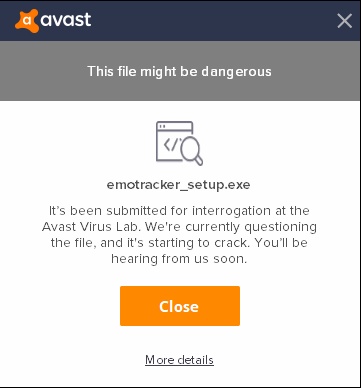
My Emotracker keeps saying there is an update avalible and my avast antivirus is scanning it all the time and close the program.. so i cant use it anymore... is there a fix for this?
Probably want to start at More details and see if that gets you to a "run anyway" option
11:46
alternatively, any antivirus worth the operating system hacks it's printed on will offer an option for the user to whitelist a file (after going through about half a dozen "don't do this it's dangerous" notifications)
CrimsonFenix2019-02-04 11:48
i have tried to do that. i get the same message when i reopen it again..
11:49
and i followed the "ransomware protection" guide. but i dont even have that on my avast because i dont pay for my avast
EmoSaru2019-02-04 11:50
Unfortunately I cannot provide specific support for arbitrary virus and malware scanners.
11:50
I will say that Windows Defender is entirely free, well updated, and well enough regarded.(edited)
Technology firm Avast offers anti-virus and Internet security software for individuals, small business and educational institutions. Its Avast Free Antivirus program is CNET’s top-rated anti-virus program. While the program provides comprehensive protection for Windows and ...
CrimsonFenix2019-02-04 11:55
dont know how i got avast to say "there is no problem" now :S but its fixed now
EmoSaru2019-02-04 11:56
For anybody curious, the cost for me to sign EmoTracker in a way that it will be default trusted by Windows and most scanners while also not compromising my personal information more than I can avoid is $1100 annually, which is on top of all the online hosting fees that I currently donate, and the extended set of service fees that will be coming with future features. As soon as EmoTracker generates the kind of revenue that would allow me to do it while also covering my time and expenses, I’ll gladly get it signed.
CrimsonFenix2019-02-04 11:57
that is alot of money. luckly we have a helping community
Natalie2019-02-04 11:57
I have to wonder why it's been targeted in the first place.
EmoSaru2019-02-04 11:58
The app itself opens network ports and interacts with the documents folder, and installers always receive extra scrutiny
CrimsonFenix2019-02-04 11:58
yeah i wonder to. in 2.2.0.5 it didnt trigger any warnings. now when i tried to install 2.2.0.6 avast went crazy.
EmoSaru2019-02-04 11:59
Antivirus software is frankly insane
CrimsonFenix2019-02-04 11:59
but yeah. it works now and is as good as always ❤
EmoSaru2019-02-04 11:59
It kinda has to be, but it still sucks
JRJathome2019-02-04 11:59
Would multiple updates in a short amount of time trigger it?
EmoSaru2019-02-04 11:59
♀️
12:00
A raindrop falling in Dubai could trigger it
12:00
They err on the side of false positives
12:00
The only problem is when they don’t give you good tools to proceed anyway
Natalie2019-02-04 12:00
I'd personally sooner install a VM (or boot up an old device) before trying something that's going to break my system than use an antivirus on my main install, at this point.
12:00
I... like my OS unviolated.
EmoSaru2019-02-04 12:01
The reality of the situation is that no antivirus is better than good security practices and not visiting shady shit
12:01
But that requires discipline and knowledge that most people don’t have
12:02
I run defender because it’s reasonable protection, but is also configurable enough to stay out of my way for the most part
Natalie2019-02-04 12:02
Fewer and fewer every day, with how the end user is being treated.
12:02
12:02
But oh well.
12:02
Learning happens, and there's nothing anyone can do to stop it.
12:03
Today you've learned that antivirus software is slightly worse than a helicopter parent.
12:03
In the way a missing arm is slightly worse than a papercut.
sighnwaive2019-02-04 12:19
@EmoSaru would you be opposed to my helping out to bring EmoTracker to linux?
Monotone2019-02-04 12:20
I have seen a time where an antivirus update caused the antivirus software to think it was a virus!
EmoSaru2019-02-04 12:21
@sighnwaive Yes, I would.(edited)
Natalie2019-02-04 12:21
@sighnwaive Porting it isn't on the table yet, but anyone who can get it running near-perfectly with wine or the like will be very much appreciated
sighnwaive2019-02-04 12:21
ok
12:22
Wine it is then
JRJathome2019-02-04 12:22
There's a pinned message in this channel where someone managed to get it working in Wine.
EmoSaru2019-02-04 12:22
It was partially working, but they had some success.
Natalie2019-02-04 12:22
I think they have a shell script for that
12:22
if memory serves
EmoSaru2019-02-04 12:23
There are things I’m doing in the future that will potentially make it MORE reasonable in the future for me to consider working on a port, alone or with somebody else, but it’s unlikely. You are far more likely to see a web version, but even that is in the far flung future at this point.
sighnwaive2019-02-04 12:24
Well, i was thinking about building my own tracker, but i found and liked emotracker, so i thought i would ask before building my own
12:24
i'll try to see if i can get it to run in wine
EmoSaru2019-02-04 12:26
I can tell you that EmoTracker runs just fine in Windows VMs. I will definitely be happy to see somebody with a fully working wine install, but I won’t be able to provide support specific to issues there. Reasonable VMs are supported normally.
sighnwaive2019-02-04 12:27
i'd say that is fair since linux isn't your target
Deleted2019-02-04 16:59
so how come when i try to get a new package EMO just crashes
17:00
could anyone help me on that
EmoSaru2019-02-04 17:23
I am unable to reproduce that. There is a note in #faq about various antivirus/anti-malware software that can interfere in some cases, but I have not heard about it directly crashing
17:23
Have you done anything funky with remapping your home directory?
17:25
If there is a permissions issue for some reason, you could try running it as administrator.
King Barbu2019-02-05 17:10
Hey guys! I'm using the EmoTracker for ALTTP rando and I have a question... What's the logic behind chests ? Is it normal that the number of chests shown in the tracker does not match the number of chests in dungeons ? Thanks
Lechtansi2019-02-05 17:15
the number of chests in the tracker is representative of the number of non dungeon items in the dungeon. so for example, EP has 1 big key, 1 compass, 1 map, and 3 other items. You only care about the 3 other items, because those can be any of the random items
17:16
so if you have the big key and found all 3 items, you can stop opening chests
17:18
(this is different in keysanity, btw)
Artemis2019-02-05 21:27
So I was just using emotracker and it was working fine, I clicked on a location and it just crashed. Now I can't re-open the program.
21:27
It crashes every time I try
21:31
So I rebooted my computer and now it apparently deleted all my packages? WTF
21:31
I now have no packages downloaded.
21:34
Scratch that last part. Stupid onedrive moved my shit around.
21:34
Fucking Microsoft garbage nobody wants interfering in shit
21:35
That likely caused the crash too, it moved all of my settings files for no reason. Nevermind guys.
Natalie2019-02-05 21:43
Welcome to being treated like a Microsoft Certified Idiot(tm) by Windows
21:43
gone are the days when computers did what users told them to do, and nothing more
21:44
I have successfully avoided the OneDrive integration
A System of Vibrant Colors2019-02-05 21:44
I just deleted the file that boots onedrive
jawnv62019-02-06 13:17
does the default install let me write a pack for a new game? or is that in a special dev version
JRJathome2019-02-06 13:19
Same version. Everything we've put into our packs was done with the default install.
jawnv62019-02-06 13:20
is there a guide on how to start? the FAQ's only mention is to ask for the pack dev role here and that seems unrelated
Hamsda2019-02-06 13:20
basically look at other packs and go from there
13:20
thats how we all did it
jawnv62019-02-06 13:20
thanks!
Hamsda2019-02-06 13:21
in essence it's just a whole lotta json
JRJathome2019-02-06 13:21
Emo's been working on documentation, but it's still incomplete.
Natalie2019-02-06 13:28
the recommended course of action, for the time being, is to take a look at EmoSaru's LttP package
13:29
and try to familiarize yourself with how the JSON corresponds to the actual tracker display
jawnv62019-02-06 14:03
the one pack I had downloaded I couldn't find the files for and assumed they'd been stuffed inside somewhere, but y'all are implying it should be right there on the filesystem staring at me. it wasn't the LttP one tho
JRJathome2019-02-06 14:05
All packs are downloaded to Documents/EmoTracker/packs
Adarsus2019-02-06 15:39
So i know ill need to poke around a bit in the lttp package to figure out how to make my own things work. Unfortunately I am somehow super lost when it comes to exactly HOW to start doing that. I have the pack files in my documents but I dont know how to look at or correspond said files to the json
EmoSaru2019-02-06 15:45
Packs are distributed as zip files
15:45
You will find a bunch of files inside
15:45
Including json files
Adarsus2019-02-06 15:45
yes I have found all of that, but I'm not sure what to do now that I have all of that in front of me hahaha
EmoSaru2019-02-06 15:46
Assuming you're looking at my pack, it starts with init.lua
15:46
I recommend looking at that and fanning out from there
15:46
It's actually relatively straightforward, but you'll have to trace it out yourself(edited)
15:47
People here can help with specific questions(edited)
15:47
But please relocate this and related things to #customization-support
Adarsus2019-02-06 15:47
Figured out my problem. Thanks for the help and will do!
GoneFission2019-02-10 04:47
Gday all, I have a brief question that I have tried to look back but cant find and answer to; in Hamsda's tracker, what is this item?
04:49
Other than that this has been a fantastic aid and I completed my first rando using the tracker. Highly recommended!
Hamsda2019-02-10 04:56
counter for the ice traps
GoneFission2019-02-10 04:57
ah! I see! haha thanks so much! and thank you for the tracker!
Hamsda2019-02-10 04:57
somewhat relevant for tourney settings, mostly a meme for higher ice trap settings
04:57
no problem
Rikkukun2019-02-10 09:32
I'm developing an item tracker, how do I "launch it" after I edited the json files?
Ninban2019-02-10 09:42
If your manifest is set correctly you should see it in your installed packs after restarting emotracker
Rikkukun2019-02-10 09:43
folder EmoTracker/packs?
09:43
they're zipped tho
Ninban2019-02-10 09:44
you don't need it to be zipped
09:44
can be juste a folder with the right name
09:45
package_uid must correspond to your folder name
Rikkukun2019-02-10 09:45
thank you!
09:46
it works
Ninban2019-02-10 09:46
beenieweenie2019-02-10 13:04
what pixel size do you find works best for your tracker item images?
JRJathome2019-02-10 13:11
Depends on what images you can find. I personally think the sweet spot is around 32x32.
Natalie2019-02-10 13:12
Depends also on your target display size, I'm sure.
13:12
Location items are hardlocked at 32x32 for the time being, afaik.
13:12
So for the sake of consistency, you should probably use 32x32 as the primary item size.
beenieweenie2019-02-10 13:24
ok. i had 50x50 but haven't tested it in the tracker yet, if it looks jank i'll edit them, thanks
JRJathome2019-02-10 13:26
So just fyi, resizing images to something that isn't a multiple or factor of the original size will cause some fuzziness or distortions. So in the case of your images, if 50x50 is too big, I would recommend 25x25 instead of 32x32.(edited)
beenieweenie2019-02-10 13:26
Unknownavailability2019-02-11 10:53
Anytime I try to download or update a pack (any pack) it freezes at about 80%-90% and never loads.
EmoSaru2019-02-11 10:56
There is a note in #faq about the role certain antivirus/antimalware software can play in this. Make sure you've read it and investigated that angle. It's almost always due to the over-aggressive documents folder protections.(edited)
Cynas2019-02-11 14:06
What file types work for images? If gif is one, can emotracker do animated gifs?
14:06
Mostly just a curiosity, I bet an animation going constantly would give me a headache
EmoSaru2019-02-11 14:08
Animated gifs are not currently supported
Cynas2019-02-11 14:08
Thanks!
EmoSaru2019-02-11 14:09
Most major bitmap image formats work, in my experience.
Goffers2019-02-11 19:20
Any easy way to undo clicking away a chest marker? Playing Super Metroid and keep accidentally checking off the wrong locations
Natalie2019-02-11 19:20
F11 shows all locations, including fully marked (black)
Goffers2019-02-11 19:23
Oh awesome, so I can just click them back in from there? Thanks a ton!
キノ2019-02-12 06:20
Is there a max number of items per row/column in the tracker?
EmoSaru2019-02-12 11:22
Item grids are structured in terms of rows, and no, there is no strict maximum.
Unknownavailability2019-02-12 16:48
Added exceptions again for the file and the folder both, and I'm also getting insufficient disk space error on reinstall, and there is over 500gb left on the disk. When trying to update the packages it does this strange thing where it expands the D/L bar and stops and refreshes.
Unknownavailability2019-02-12 17:04
Uninstalling and reinstalling isn't removing everything either.. it keeps telling me it's missing the persist file? Not sure what I'm missing. I'm just trying to start over at this point.
Natalie2019-02-12 17:24
Other files exist in Documents\EmoTracker. If you want a fully clean install, dump that out too.
Unknownavailability2019-02-12 17:28
ah documents folder gotya
Natalie2019-02-12 17:32
Don't forget to add that as an exception too. Antivirus software, helicopter parent, et cetera. You know the deal.
Unknownavailability2019-02-12 19:07
Now the entire thing isn't pulling up... This isn't my anti virus... It's giving me a giant exception after reinstalling
EmoSaru2019-02-12 19:07
what is the exception
Unknownavailability2019-02-12 19:07
19:07
Long
EmoSaru2019-02-12 19:08
How are you running the tracker
Unknownavailability2019-02-12 19:09
I'm running it from desktop not sure what your asking.
EmoSaru2019-02-12 19:09
That's fine, I wanted to know if you were running it via a shortcut created by the installer or not
19:09
Which it soudns like you are
Unknownavailability2019-02-12 19:09
Going directly into the folder in program files and running it from there at the moment
EmoSaru2019-02-12 19:09
Did you delete your Documents/EmoTracker folder?
Unknownavailability2019-02-12 19:10
I deleted the shortcut on my desktop after reinstall to avoid that issue
19:10
Yes.
EmoSaru2019-02-12 19:10
Okay. I have not seen that issue on any PC I've tried running it on, and nobody else has reported it, which is very strange.
19:10
This may sound dumb, but have you tried restarting your PC?
Unknownavailability2019-02-12 19:11
That doesn't sound dumb at all.. I have not done that.
EmoSaru2019-02-12 19:11
Okay, please try it. That failing is indicative of serious badness at the DLL loading or .net framework level
Unknownavailability2019-02-12 19:12
Ok let me do that. One second.
19:16
same exception after restart
19:16
Didn't uninstall reinstall.. this degraded from working and just not updating, but now not even running the program itself.
EmoSaru2019-02-12 19:16
Let's take this to DMs
EmoSaru2019-02-12 19:48
Just to update, this has been resolved, and was in fact a Windows Protected Folders issue. Adding an exception cleared it up.
Sal the Dragon2019-02-12 21:21
it seems as though chatHUD is broken. My application settings json still looks the same, and my user overrides havent changed
JRJathome2019-02-12 21:25
Just tested and it's working for me. Was it working for you earlier?
21:25
I know there's been some issues recently. Can't recall if Emo's figured that one out yet.
Sal the Dragon2019-02-12 21:29
yeah neither me or my mod can update my tracker with it
Scarllett_reign2019-02-12 21:37
so im new and i have been reading so much and trying to understand but i just cant figure this all out, i have my randomizer and emulator and all that set, on my stream, not how i want it to look but its there. now the headache of this tracker, i got what i wanted installed but how does it know to track and how the heck do i get it on my stream.. im sorry if this is answered but ive been looking for awhile and its still not clicking, i appreciate any help or guides
JRJathome2019-02-12 21:38
The tracker is updated manually when you click on the icons.
Sal the Dragon2019-02-12 21:38
you just click on items on your tracker to add them
LostThePirate2019-02-12 21:53
F2 to pop out Broadcast View, which is what you want to capture for your audience
Scarllett_reign2019-02-12 22:02
what setting is the capture on obs? game media video?
This plugin adds simple audio/video input and output over IP using NewTek's NDI™ technology.
Three integrations are currently available:
- NDI Source: add NDI Sources into OBS like any traditional source
- NDI Output: transmit the main program...
22:06
If not, you can just capture it as a window source.
Scarllett_reign2019-02-12 22:26
thank you! it didnt work through browser source, idk why
Natalie2019-02-12 22:27
...because it's not a web browser? Window capture or NDI source is what you should be using.
Scarllett_reign2019-02-12 22:33
ok i was a little confused. i think i understand now
Josh Busker2019-02-14 12:34
Might be a dumb question, but how do I change the background of a broadcast window if there doesn't appear to already be a background color set?
JRJathome2019-02-14 12:39
Just add "background": "#XXXXXX", to the json, replacing the Xs with the hex code for the color you want.
Josh Busker2019-02-14 12:42
Welp, that was easy. Thanks!
MikeTrethewey | Axiom Verge2019-02-14 13:19
Yep. The implementation of that feature is ReallyFreakinClever. >.>
Natalie2019-02-14 13:26
okay solski
MikeTrethewey | Axiom Verge2019-02-14 13:31
TFW not sure if compliment or insult.
Either way, off to work! Whee!
Autre314152019-02-14 14:41
So I've just installed this for the first time and plan on giving it a spin. Is there a way to make the broadcast view window larger? It's pretty tiny on my screen
Autre314152019-02-14 14:51
I'm actually asking the wrong question. Not the broadcast view, but the item tracker itself
Natalie2019-02-14 14:52
The broadcast view window is for your viewers to see, not for you to use yourself. However, you can use an option to adjust the NDI scaling (for shrinking to reduce artifacts) or apply a scale key to the root container of the broadcast view in an override.
14:52
You can scale the tracker layout similarly, I believe.
14:52
By adding scale tags. Don't quote me there.
Autre314152019-02-14 14:52
How do I access those settings?
14:52
scaling it 2x would likely do it for me
Natalie2019-02-14 14:53
You will need to create an override for the package you want to modify, and can find better help in #customization-support
14:53
though the search is surprisingly not that great on finding details on that
JRJathome2019-02-14 14:55
A quick way to scale the tracker is to create an override like Natalie said and add "scale": 2, to the element you want scaled, or the root if you want it all scaled.
Autre314152019-02-14 14:56
Would applying the scale to settings.json do it
JRJathome2019-02-14 14:57
Hmm. I don't think so, but not 100% sure.
Autre314152019-02-14 14:58
Looking at the overrides there's a ton of files to choose from
JRJathome2019-02-14 14:58
Which pack are you using?
Autre314152019-02-14 14:58
The official one
14:58
It's the first in the package manager list
14:58
Link to the past official*
14:59
I'm just looking to 2x the scale of the item tracker
JRJathome2019-02-14 14:59
Alright. I believe Emo named the tracker layout for each variant tracker.json so it's just a matter of overriding the one for the variant you want.
Autre314152019-02-14 15:00
The override files are in alphabetical order and the last one is settings.json
Cynas2019-02-15 07:17
what exactly is the broadcast view? I have a working standard view, and I want to make sure the broadcast view is working before I submit it for release. Understanding what it is and what it does might help me understand how it's coded and what I'm doing wrong
Derrick2019-02-15 07:19
There is an option in the Application menu, that opens a broadcast view that has a smaller UI
07:19
typically without a map
Cynas2019-02-15 07:20
I have no map to speak of (SMRPG Randomizer) - do you think it's important to include a broadcast view then?
Derrick2019-02-15 07:20
I would consider just copying the tracker code, and paste it in broadcast mode. Just in case, but then again I have been programming a map for 1 day so I am no expert
Cynas2019-02-15 07:21
I'll give that a try - my current broadcast view loads, but displays nothing. A direct copy would make sense. Maximum effort!
Hamsda2019-02-15 07:22
the broadcast view is pretty important, since that is what people should capture for streaming
The users can customize their broadcast view and layout view differently if they wish, but it's best to offer a "recommended default"
EmoSaru2019-02-15 10:43
Always include a broadcast view
10:43
If you are looking to distribute packs, I don’t accept repositories for packs that don’t have one. It’s one of my standard checks.
10:44
I also strongly recommend defining the broadcast layout in a separate layouts file, to make overriding easier.(edited)
deserteagle4172019-02-15 12:14
^ One of my favorite things about EmoTracker is the broadcast view. It's a pain in the ass to recapture a tracker when switching between games/variants of a game's tracker because the window title has changed. Broadcast view fixes this by having a static window name.
Cynas2019-02-15 13:51
Sounds good! I'll work on it this weekend - thanks for the information everyone
1
Dyminthos2019-02-15 17:56
Has anyone else ever encountered an issue on Windows 10 where the ALttP pack looks perfect when you first install it, but on subsequent opens on EmoTracker, the map doesn't show and the window cannot be resized?
JRJathome2019-02-15 17:57
The ALTTP pack has multiple variants. Sounds like you may have switched to the Items-Only variant somehow.
Dyminthos2019-02-15 17:58
Ah ha. Alright. That answers that. It seems to open item tracker by default and then you have to switch to the standard view.
EmoSaru2019-02-15 17:58
It should be loading whichever one your were using last
Dyminthos2019-02-15 17:59
Let's see. Testing now.
18:02
So, if I install the package fresh, application_settings.json gets updated with "last_active_package": "alttpr_emotracker_emosaru".
18:02
The UI doesn't show a checkmark near one of the layout variants.
18:02
When I close it, application_settings.json doesn't update.
18:02
When I reopen, the file updates with "last_active_package_variant": "items_only".
18:03
So, that answers that then. On first install, it is defaulting to standard view, but it isn't selecting that and marking that as the last_active_package_variant.
EmoSaru2019-02-15 18:14
I will look at this later, but it has been reliably working for me. What you are experiencing is definitely not the expected behavior.
18:15
Can you confirm what version of Windows you are on, and also whether your documents folder is located on eg OneDrive or not
Dyminthos2019-02-15 18:16
Understood. All is well now that I know that which is happening. I can account for it. I hope you're able to recreate it.
18:16
Win10, Version 1809.
18:16
Documents folder is local.
EmoSaru2019-02-15 18:16
Okay, thanks.
Dyminthos2019-02-15 18:16
My pleasure. Please let me know if I can help any other way.
JRJathome2019-02-15 18:18
Slightly related, but when I had the items-only variant open, updating to the latest version of Emo's pack caused it to switch to the map tracker when it automatically reloaded.
EmoSaru2019-02-15 18:18
That is good to know, and may potentially be related. I’ll look into this stuff tonight.
Dyminthos2019-02-15 18:18
Thank you very much.
EmoSaru2019-02-15 18:19
It’s a relatively low severity issue, so any fix will likely be coming with the next major version release.
Dyminthos2019-02-15 18:25
As it should be.
EmoSaru2019-02-15 22:17
These two issues were in fact related. Thanks for the info.
epicYoshi2019-02-16 00:16
is there any guide for making packs? aside from mimicking other packs and trial and error. I want to make a map tracker for MM Rando.
EmoSaru2019-02-16 00:16
The current recommendation is to extract my LTTP pack and use it as reference.
epicYoshi2019-02-16 00:17
that sounds like a plan
00:18
I'm guessing that the tracker only reads things that are inside a zip folder?
JRJathome2019-02-16 00:19
No, it'll read an uncompressed pack too.
Natalie2019-02-16 00:19
If you extract the package into a folder located in the same directory as the archives, it will prioritize reading that folder over any archive with the same name.
epicYoshi2019-02-16 00:19
wonderful
00:19
that makes testing much easier
Derrick2019-02-16 06:57
Quick question, Does Emotracker su;port Automatic Tracking?
PSI Landy2019-02-16 06:59
it does not.
Derrick2019-02-16 07:09
ok cool thanks
Derrick2019-02-16 07:42
Quick question , in coding items. Can multiple items have the same code EX
Sword, Firerod,Bombs, and Glove can all break bushes, Can I give them all an extra code "bushbreaker" and be able to use it later for requirements and reference bushbreaker and it would accept any items with that code?
deserteagle4172019-02-16 07:49
I think you can do something like this with Lua. Look up how Emo defines functions like "canUseMedallions" or "canActivateTablets" in the logic_common file.(edited)
Hamsda2019-02-16 07:50
it works as you described as well though derrick
Derrick2019-02-16 07:50
OK greath
Hamsda2019-02-16 07:51
just dont use the bushbreaker for item grids and the likes
deserteagle4172019-02-16 07:51
Oh, even easier then LUL(edited)
Hamsda2019-02-16 07:51
since thats not unique
Derrick2019-02-16 07:53
Oh no I was just thinking of using bushbreaker. So I don't have to type out
Acceess Condition ["sword","lift1","bomb","firerod","boomerrang","powder"]
More so i can write it
Acceess Condition ["bushbreaker"](edited)
Hamsda2019-02-16 07:54
ye I know, just wanted to warn against using it other than access checks
Derrick2019-02-16 07:55
haha thanks
Cynas2019-02-16 13:33
When I'm ready, how do I submit a pack for release?
Hamsda2019-02-16 13:34
you tell emo where your repository.json is hosted
EmoSaru2019-02-16 13:41
When your pack is effectively complete, DM me.
13:41
There is more you'll have to do, but I will get you what you need at that point.
zjplayer2019-02-18 00:03
how do I fix this?
00:07
uninstalling and reinstalling fixed it. disregard
EmoSaru2019-02-18 00:49
If you were seeing that, you were on an INCREDIBLY old version of the tracker.
A System of Vibrant Colors2019-02-18 01:31
EmoTracker 2000
Celest2019-02-20 19:37
how do i set it up with my stream?
Natalie2019-02-20 19:39
That's a fairly vague question.
Celest2019-02-20 19:40
okay i see the broadcast view
19:40
what is the go mode buttton
19:40
and how do i make it work
Natalie2019-02-20 19:41
the """go mode button""" is a leftover from some nonsensical practice where you would tick it off to show your viewers you were, in fact, in "go mode" and had everything you needed to clear the game
19:41
instead of using your mouth to say you're in go mode
Celest2019-02-20 19:41
yeah but once i click it
19:41
what happens
Natalie2019-02-20 19:42
quite literally nothing
19:42
it has no effect on anything
Celest2019-02-20 19:42
ohhh
19:42
okay i thought it did something more
blasteg2019-02-20 19:43
I would find it hilarious if once I click it, it covers the whole tracker with that GO
Celest2019-02-20 19:43
yeeeee
EmoSaru2019-02-20 19:45
As soon as I think of something better to put in its place to keep the layout even, I will delete that thing with prejudice. Sadly, there's a finite number of items in the game. (edited)
Natalie2019-02-20 19:45
single arrow
EmoSaru2019-02-20 19:45
blasteg2019-02-20 19:51
Big 20 counter(edited)
2
WillardJBradley2019-02-20 23:10
the GO button actually dates back to Zarby's tracker, which was one of the first and the one I started on. It included a built-in timer and it was a go button to start said timer.
Natalie2019-02-20 23:12
23:13
so you're telling me it's there because of an even more ridiculous reason
WillardJBradley2019-02-20 23:14
its a go mode button now, idk who uses it
EmoSaru2019-02-20 23:14
It’s vestigial
23:15
Like the remnants of a tail on a human(edited)
23:15
Its primary function is for viewers to ask why you haven’t checked it(edited)
23:19
I should replace it with a blank spot that shows any time somebody does a recognized rando meme in your chat with chathud turned on. If you mod EmoTracker, it will auto-ban them for you.
Sketch2019-02-20 23:56
hey, how do I use the map tracker on a basic level
23:56
like I right click on chests I've gotten?
Sal the Dragon2019-02-20 23:56
That's a very general question
Sketch2019-02-20 23:56
haha
23:57
I read the faq but uh
Natalie2019-02-20 23:57
to modify a location, left click and hold to access it on the map
23:57
or double click to pin it and access it that way
Sketch2019-02-20 23:57
pin is to just get them accessible easy?
Natalie2019-02-20 23:57
after you have it up, left click an individual check to mark it or right click to unmark
Sketch2019-02-20 23:58
if you want to put them in an order or something and quickly clear?
23:58
ok
Natalie2019-02-20 23:58
right click on the location square to instantly mark all currently accessible locations as obtained
23:58
within that location square
Sketch2019-02-20 23:58
ah okay
Natalie2019-02-20 23:59
pinning locations is also useful for reminders or quick planning and tracking if you're on a route
Sketch2019-02-21 00:00
okay cool
00:00
thank you very much
Natalie2019-02-21 00:01
also, if you accidentally clear too many checks and need to get one back from a location that was removed, F11 toggles visibility of all locations regardless of accessibility
Sketch2019-02-21 00:16
kk
BreathlessSleep2019-02-23 03:01
Hello. I updated emotracker in the last 24 h. And now I'm experiencing what i think must either be unexpected crashes or the application closing due to some input from my keyboard.
I always play on snes9x 1.58 with background input and have been able to track like this no problem, but now I've had some trouble with the app closing and having to open it back up and re-track everything. I can't figure out if it's something I do that makes the window close or if it is crashing. Any ideas?(edited)
Tal_oo0ox2019-02-23 06:04
Does anyone have any idea what all the colours mean in the Hamsda OOT tracker? Some seems obvious, like white for accessible now and red for not accessible, but I don't know for yellow and blue and then what do the colours mean on the dots on the map?
Hamsda2019-02-23 07:23
have a look in #faq its emotracker wide
Tal_oo0ox2019-02-23 07:47
Thank you.
EmoSaru2019-02-23 10:13
@BreathlessSleep please check the Windows event viewer to see if the tracker crashed. If not, something you did input wise just closed it. By and large, if the application crashed, some sort of system dialog would generally have appeared.
1
Matematikprofessorn2019-02-23 11:41
What game package mean? It is only a black window now
AxisNick2019-02-23 11:42
does the tracker count chests that have maps and compas?
EmoSaru2019-02-23 11:42
@Matematikprofessorn It's telling you to click on the green thing in the top right
11:42
You can download your first pack there
11:42
@AxisNick That depends on the pack. In the case of my LTTP pack, in non-keysanity modes, the answer is no. The dungeon chests represent non-dungeon items.
AxisNick2019-02-23 11:43
ok cool thank you
Matematikprofessorn2019-02-23 11:43
So much, which I need? I only play oot randomizer i the most random settings possible
Ariah2019-02-23 11:43
(I'd recommend Hamsda's)
Matematikprofessorn2019-02-23 11:45
Shearch for that but nothing happend
Ariah2019-02-23 11:45
Scroll to the OoT section
11:45
The italic font is the creator of the pack
Matematikprofessorn2019-02-23 11:47
Not see Hamsda's standing there
Ariah2019-02-23 11:48
Matematikprofessorn2019-02-23 11:52
How I now use it to work with the seed?
Ariah2019-02-23 11:52
So trackers don't connect with seeds,
Natalie2019-02-23 11:52
It doesn't automatically track anything or show you where items are.
Ariah2019-02-23 11:52
They're used to keep track of what items you've gotten,
11:52
And in case of a map tracker, where you've been and where you can go
Natalie2019-02-23 11:53
It shows you what you CAN do with the items you select in the tracker.
11:53
Nothing more.
Ariah2019-02-23 11:53
But for Hamsda's, there is a settings section underneath the items where you can tell the tracker what you've decided to randomize/what your settings are if that's what you mean
Matematikprofessorn2019-02-23 11:57
Have can the tracker know there I can go if it not connect with the seed?
Ariah2019-02-23 11:57
Because each location in the game has a specific set of required items you'll need to have to get there, so the map calculates where you can go based off of what items you have selected in the tracker
11:58
So once you get an item, just make sure to mark it off in the tracker
LostThePirate2019-02-23 11:58
You don't "connect" it to your seed - you manually mark what you have and what places you've looked for things, and it will show you what places are left to look based on the settings you marked.
Natalie2019-02-23 11:59
Click on an item in the item grid to tell the tracker that you now own that item. The tracker will never know what items you have unless YOU tell it what items you have.
Ariah2019-02-23 11:59
I'm sure it sounds confusing, especially with three of us now trying to clarify it, but I promise that once you get started with it, it'll be pretty straight-forward
codemann82019-02-23 12:06
Is there a way to mark individual chests? I'm only able to clear all chests at a time
Ariah2019-02-23 12:06
That depends on how that particular spot was created
12:06
May I ask which chests you're talking about?
codemann82019-02-23 12:06
Paradox cave in alttp
Natalie2019-02-23 12:07
Chests are typically created as countable rather than removed as a group. However, if all chests in a group are accessible the moment you get there (in the same room for example) they may be grouped together as it is just absolute folly to not mark all of them at once.
12:08
Paradox Cave features grouped chests.
Ariah2019-02-23 12:08
You cannot for those, yet (as Natalie has just explained), those chests are all in the same room, so there isn't really a purpose to mark them individually
codemann82019-02-23 12:08
For instance, I'm currently at a point where I only collected 1 from the bottom cave
little_red2019-02-23 12:08
why?
Ariah2019-02-23 12:08
Both should be available simultaneously if I recall
codemann82019-02-23 12:09
Idk, I'm new, there was only one around at the time
little_red2019-02-23 12:09
the chests in paradox are always there and can always be gotten together
Ariah2019-02-23 12:09
Is it possible you weren't in the Paradox Cave?
codemann82019-02-23 12:10
Judging by the location on the map, that's my only option
12:10
Spiral cave is too high
little_red2019-02-23 12:10
if there was only one chest, i suspect you were in spiral cave
Ariah2019-02-23 12:11
Well spiral cave is a spiral
12:11
Did you go through a huge spiral with moldorms?
Natalie2019-02-23 12:11
Paradox Cave features a minimoldorm at the top before you appear at the top of the mountain.
12:12
It's named Paradox Cave because you can enter through the lowest door, fall down, and exit south to be literally higher on the mountain (up a slope)
codemann82019-02-23 12:12
Possibly, the location on the map should move down if that's the case, seems confusing, I'm very much near the bottom of the mountain at this point(edited)
Natalie2019-02-23 12:12
Paradox Cave has two entrances. Both are valid.
little_red2019-02-23 12:13
paradox has 3 entrances
codemann82019-02-23 12:13
But I'm thinking it's spiral at this point
Natalie2019-02-23 12:13
It has a third, but that one should only get you a shop
Ariah2019-02-23 12:13
Spiral is at the entrance location rather than the exit location, which may be messing you up
little_red2019-02-23 12:13
the exit for spiral cave is on the bottom of the mountain, but the entrance is at the top
Natalie2019-02-23 12:13
Aren't the lower Paradox chests literally adjacent?
12:14
Spiral Cave's reward is freestanding in a room with even more Minimoldorms.
codemann82019-02-23 12:15
I see, newbs confused by this, as I'm guessing where I need to go, then I find a chest and look at the map, but ty I get it now
Ariah2019-02-23 12:16
I had my fair share of confusion when I first started, don't worry
LostThePirate2019-02-23 12:17
With more experience, you'll gain more intuitive knowledge of what is found where. It's just another skill you'll learn.
Natalie2019-02-23 12:17
This is a case where "play vanilla before rando" doesn't work. If you don't know what a named location refers to, ask the LttPR or SMZ3 discord
codemann82019-02-23 12:17
I have played vanilla many times, although not in awhile
Natalie2019-02-23 12:17
The markers on the LttP map trackers are very accurately placed, though
Ariah2019-02-23 12:19
There are a lot of checks in randomizers (any Zelda game especially) that nobody ever goes to, even in 100% runs. It takes time to get used to randomizers even if you've completed the game countless times before hand
The item locations are indeed physically adjacent.
Ariah2019-02-23 12:20
12:20
And that's the spiral cave chest
codemann82019-02-23 12:20
That's the one I got^
Natalie2019-02-23 12:20
Oh, it wasn't freestanding? I thought it was. But now I remember accidentally jumping off like an idiot.
codemann82019-02-23 12:20
Thanks for the help
Ariah2019-02-23 12:21
No problem
12:21
Have fun
Natalie2019-02-23 12:40
[3:01 AM] BreathlessSleep: Hello. I updated emotracker in the last 24 h. And now I'm experiencing what i think must either be unexpected crashes or the application closing due to some input from my keyboard.
I always play on snes9x 1.58 with background input and have been able to track like this no problem, but now I've had some trouble with the app closing and having to open it back up and re-track everything. I can't figure out if it's something I do that makes the window close or if it is crashing. Any ideas?
12:41
You know, I'm curious as to what these people's control schemes are. If we know that, then we can easily confirm it's not a key combination that closes EmoTracker (unless the user has some bizarre "close this program" hotkey defined in some hotkey support program)
codemann82019-02-23 13:22
Is there a legend so we know what all the colors mean?
MikeTrethewey | Axiom Verge2019-02-23 13:22
#faq
13:23
First message, last question.
BreathlessSleep2019-02-24 03:23
I have enter as start and tab as select. The rest are letter keys
03:26
I'm thinking enter is the problem. But it didn't seem to conflict with any other controls before. Since I started experiencing the tracker shutting down due to keyboard inputs I've also started having the box where you pick an item for lumberjack/hylia island/desert legde and similar appear from keyboard inputs
03:27
Also the file menu appears sometimes(edited)
03:27
I don't really ever use keyboard commands for stuff in windows so I don't know what inputs might do what to an application or window
03:28
Also, correction: Enter = start, tab = select and arrow keys = dpad. The rest are letter keys.
03:30
This is how i used to play when i was a kid so I've just always had it set up like this when playing with a keyboard. Wasn't blessed with a snes so emulator alttp is what I've always done until a few years back
EmoSaru2019-02-24 04:19
If you have tab mapped to anything, and you have the tracker focused
04:19
You are absolutely going to be navigating windows tab stops for various buttons
04:19
and Enter will unquestionably activate those buttons
04:20
There's no way I'm going to disable that, because it would make the tracker even worse for accessibility than it already is
bumegg2019-02-24 08:17
hey guys i cant seem to open the package manager as soon as i do it closes emo tracker and im not sure why
Ariah2019-02-24 12:00
It does that on my (abslutely terrible) laptop, but not on my desktop. My first thought is that it has something to do with RAM (as my laptop only has 2GB)
12:00
But I could be wrong
EmoSaru2019-02-24 12:07
RAM should not be a limiting factor.
12:09
Please check the Windows event viewer for crash information and forward it to me. Generally there will be a ".Net Framework Event" right next to the EmoTracker event, which will contain the actual callstack I need. A new version releasing soon is also adding auto-reporting of crashes, which will hopefully allow me to gather more useful events like this and address them more efficiently.
DaftPo2019-02-24 14:22
Hi I am extremely stupid and I don't know what this error means: LuaInterface.LuaScriptException: error loading module 'socket.core' from file '.\socket.dll':
The specified module could not be found.
EmoSaru2019-02-24 14:26
Ugh, there's a setting that's required in bizhawk that they took of the documentation I think
14:27
Config > Customize > Advanced Tab
Make sure to set the Lua version like this.
14:27
You also need ot be using the BSNES core
14:27
I will update the docs after I'm done stremaing
DaftPo2019-02-24 14:28
It seems I do not have luacore installed because the bottom option is not even there
deserteagle4172019-02-24 14:48
Trying this out on emu and it's pretty neat so far. Is there no support for keysanity in the autotracker yet?
14:49
The auto-tracking, that is
Espeon2019-02-24 14:49
small keys are not tracked, apparently
deserteagle4172019-02-24 14:50
yea, that's what I noticed. The big keys are? I just started, so I haven't found one yet
Espeon2019-02-24 14:51
according to kevin
JRJathome2019-02-24 14:51
Small keys aren't tracked since the connector can't tell the difference between chest keys and pot/enemy keys.
deserteagle4172019-02-24 14:51
interesting
Natalie2019-02-24 14:51
Sounds like it would require a logic rewrite for autotracking mode.
Espeon2019-02-24 14:51
ya makes sense
14:52
i assume that it would just observe your inventory since you can't have a hook onto "the action of opening a chest"
Natalie2019-02-24 14:52
It's going to be Spirit Temple all over again.
deserteagle4172019-02-24 14:52
lol
Espeon2019-02-24 14:53
regarding autotrack anyway -- i'm getting "failed to open socket" error and i don't know enough about lua to diagnose issues myself
14:53
oops nvm
14:53
fixed it
14:59
jk it's not working lol. got the connnection linked up but it's not actually tracking anything yes i'm using bsnes
deserteagle4172019-02-24 14:59
oh, the robot dude is cyan in the bottom corner?
Espeon2019-02-24 14:59
yes
deserteagle4172019-02-24 15:00
then I have no idea LUL
Espeon2019-02-24 15:00
unsure whether the script should continue to run after the connection is established; i assume that it should not because that's what it is doing
emock812019-02-24 15:02
I think I have followed all the steps correctly but my robot dude is yellow
deserteagle4172019-02-24 15:02
You probably have to restart Bizhawk. That was my issue
duncathan_salt2019-02-24 15:04
how do i run the script?
deserteagle4172019-02-24 15:05
In BizHawk Tools>Lua Console
15:05
then load the script in there
DaftPo2019-02-24 15:05
I am not even capable of installing lua correctly
duncathan_salt2019-02-24 15:05
I tried doing that but it's giving me errors
15:05
NLua.Exceptions.LuaScriptException: [string "main"]:4: module 'json' not found:
no field package.preload['json']
no file '.\json.lua'
no file 'C:\Users\dunca\Downloads\BizHawk_Developer-2019-02-24-170259-#7630be7e93030cfd0b0f34b018efc4e3026862c6\lua\json.lua'
no file 'C:\Users\dunca\Downloads\BizHawk_Developer-2019-02-24-170259-#7630be7e93030cfd0b0f34b018efc4e3026862c6\lua\json\init.lua'
no file 'C:\Users\dunca\Downloads\BizHawk_Developer-2019-02-24-170259-#7630be7e93030cfd0b0f34b018efc4e3026862c6\json.lua'
no file 'C:\Users\dunca\Downloads\BizHawk_Developer-2019-02-24-170259-#7630be7e93030cfd0b0f34b018efc4e3026862c6\json\init.lua'
no file 'C:\Program Files (x86)\Lua\5.1\lua\json.luac'
no file '.\json.dll'
no file 'C:\Users\dunca\Downloads\BizHawk_Developer-2019-02-24-170259-#7630be7e93030cfd0b0f34b018efc4e3026862c6\json.dll'
no file 'C:\Users\dunca\Downloads\BizHawk_Developer-2019-02-24-170259-#7630be7e93030cfd0b0f34b018efc4e3026862c6\loadall.dll'
deserteagle4172019-02-24 15:06
check picture emo put above. You have to change to LuaInterface
15:06
NLua won't work
DaftPo2019-02-24 15:06
I don't have the option to change it on mine
15:06
I don't know what that even means apart from that I am too stupid to use a computer
Espeon2019-02-24 15:06
update bizhawk version then
15:06
you probably have an old version
duncathan_salt2019-02-24 15:06
i have it set like this, isn't this correct?
beenieweenie2019-02-24 15:07
I'm just getting a "failed to open socket" error, after changing to LuaInterface, messing with it still
Espeon2019-02-24 15:07
you need to start the autotracker first in emotracker
deserteagle4172019-02-24 15:07
you have to restart BizHawk after switching to LuaInterface
15:07
and that
Espeon2019-02-24 15:07
it'll be yellow; then you open socket
beenieweenie2019-02-24 15:08
Got it. I'm out of order lol
15:08
Thanks
Espeon2019-02-24 15:08
on the other hand, i can't get it to work, so i may not be a very reliable source
deserteagle4172019-02-24 15:08
I wonder what's going on in your case, Espeon...
Espeon2019-02-24 15:09
@duncathan_salt you should not use the dev build of bizhawk. it's probably unstable and buggy in several locations because it's not production ready
BizHawk is a multi-system emulator written in C#. BizHawk provides nice features for casual gamers such as full screen, and joypad support in addition to full rerecording and debugging tools for a...
emock812019-02-24 15:09
I am still missing something
beenieweenie2019-02-24 15:10
yo dawg it works
15:10
nice
deserteagle4172019-02-24 15:10
duncathan_salt2019-02-24 15:10
ty
Espeon2019-02-24 15:10
i feel like i'm doing something wrong, but i have no idea what because there is no documentation lol
beenieweenie2019-02-24 15:11
fwiw, if you're moving the lua file to the bizhawk directory, don't
ozipone2019-02-24 15:11
now that I tried again it fails to open socket
beenieweenie2019-02-24 15:11
just load it directly from the emotracker directory
emock812019-02-24 15:11
I have the core set to BSNES, I changed the Lua Core settings, but when I load everything up I'm still yellow, I am not sure if there is an order or if I am missing something when loading the script
Espeon2019-02-24 15:12
you need to start emotracker's autotrack function first
15:12
then open the socket to the application
duncathan_salt2019-02-24 15:12
oh does it not work outside of emotracker's directory?
15:12
well that's dumb that would've been good to know
Falcon2019-02-24 15:12
Somebody knows how to change core from SNES9X to BSNES ? My bizhack opens on SNES9X.
Espeon2019-02-24 15:12
Config > Cores
Falcon2019-02-24 15:13
Oh right. I went through the menu a bit too fast. Thanks.
Espeon2019-02-24 15:14
@deserteagle417 it magically started working lol
deserteagle4172019-02-24 15:14
haha, of course it did
Espeon2019-02-24 15:14
i fiddled around and magic
beenieweenie2019-02-24 15:14
You can also just drag and drop the lua file into bizhawk and not have to dig through menus
DaftPo2019-02-24 15:18
I got it to work
15:18
it turns out it was an old bizhawk
15:18
I am now at worst the 2nd stupidest man
Falcon2019-02-24 15:19
Is version 2.3.0 correct ?
DaftPo2019-02-24 15:19
@Espeon you helped me out a lot, thanks
Falcon2019-02-24 15:19
Quite recent, only 6-8 months old.
Espeon2019-02-24 15:19
...aaaaand it stopped working again
15:19
WutFace
Falcon2019-02-24 15:22
Dynamic librairies not enable. What does it mean ?
emock812019-02-24 15:22
I still can't seem to get cyan, just yellow, ugh
ThordanSsoa2019-02-24 15:24
I'm trying to run the connector script, and it gives me this error
NLua.Exceptions.LuaScriptException: error loading module 'socket.core' from file '.\socket.dll':
dynamic libraries not enabled; check your Lua installation
for anyone who does not have dynamic libraries enabled
15:27
then restart bizhawk for the changes to take effect
duncathan_salt2019-02-24 15:27
ok so
15:27
i got it to track my items
15:27
but it's not checking off any locations
Espeon2019-02-24 15:27
@emock81 start the emotracker autotracking, then run the lua script
15:27
what locations are you checking
15:27
it won't mark off items inside dungeons
ThordanSsoa2019-02-24 15:28
There we are. Thank you
duncathan_salt2019-02-24 15:29
i checked link house and the dam
Espeon2019-02-24 15:29
also it is worth noting that you need to keep the lua script window open, i suspect
emock812019-02-24 15:30
Let me try one more thing
Espeon2019-02-24 15:31
i feel like i've suddenly become the autotracking tech support
emock812019-02-24 15:31
So I turn on the autotracking, then I run the lua script, but I stay yellow and nothing happens when I open the first chest in links house.
Espeon2019-02-24 15:32
what's the output message in the lua console when you run the script
emock812019-02-24 15:32
nothing is there, so maybe i'm missing a step running the script
Espeon2019-02-24 15:32
nothing? that's odd
15:32
just double-click on the script
emock812019-02-24 15:33
it was listed as active, when i double clicked it paused it
Espeon2019-02-24 15:33
you're running connector.lua?
emock812019-02-24 15:34
yes
Espeon2019-02-24 15:34
can you run it and then send a screenshot
15:34
of the lua console
duncathan_salt2019-02-24 15:34
yeah this is weird. it's updating my items but not checking off any locations
15:35
also i guess blind's hut counts as a dungeon? lol? it wouldn't track anything i found in there
Wizado2019-02-24 15:35
It was tracking things i found in dungeons
Espeon2019-02-24 15:35
something weird is going on with yours, duncatahn
15:35
it doesn't track dungeon chests
15:35
does track the items
Wizado2019-02-24 15:35
Ya
duncathan_salt2019-02-24 15:36
???
15:36
idk what i could be doing wrong
Espeon2019-02-24 15:37
i got nothing lol
Bobworth2019-02-24 15:38
I have weird programs on my computer and am not sure how exactly to run connector.lua
Espeon2019-02-24 15:38
i don't actually know anything about this, i just clicked buttons until it worked
Bobworth2019-02-24 15:39
Okay, it's trying to run a file viewer
Espeon2019-02-24 15:41
@Bobworth
- Open Bizhawk and go to Config > Customize. In the Advanced tab, set the Lua core to "Lua+Lua Interface." Then restart Bizhawk.
- Open Emotracker, with the relevant package. Set the robot to "Lua" and then start the autotracking. (it'll come up yellow, that's ok)
- In Bizhawk, go to Tools > Lua Console. Open the script in the Emotracker install directory (probably something like C:\Program Files (x86)\EmoTracker\Connectors\bizhawk\connector.lua)
- Run the script. If everything is working correctly, the console will output that the connection was made.
- Then it should work. Hopefully.(edited)
duncathan_salt2019-02-24 15:42
that last word is seemingly the most important
Espeon2019-02-24 15:42
yeah
15:42
i have 0 idea what's going on with yours. clearly the connection is made, but something is weird. i would recommend just restarting everything
emock812019-02-24 15:42
15:42
nothing shows up in output for me
Espeon2019-02-24 15:43
did you copy and paste the lua script to a different location
15:43
it doesn't work if you do that
15:43
and it looks like it's in a different spot
emock812019-02-24 15:43
no I left it in the original folder
15:44
it's in the folder the tracker is installed in
Espeon2019-02-24 15:46
what bizhawk version do you have?
emock812019-02-24 15:46
it's the most recent, I checked with the link that was posted earlier
Bobworth2019-02-24 15:47
does opening the lua run the script then?
Espeon2019-02-24 15:47
you have to run the script after loading it into the lua console
Bobworth2019-02-24 15:48
How do I do that?
Espeon2019-02-24 15:48
double click
Bobworth2019-02-24 15:48
NLua.Exceptions.LuaScriptException: error loading module 'socket.core' from file '.\socket.dll':
dynamic libraries not enabled; check your Lua installation
Espeon2019-02-24 15:48
go back and follow the instructions that i gave from the first step
15:48
oh i actually left something out
15:49
edited for fix
15:49
gotta restart after changing lua core
Caillte2019-02-24 15:49
Is the setup of the auto tracker explained up the chat a bit? I don't want to make someone ELI5 for me, but I'm not seeing how to set it up in app like the download link suggested I'd be able to.
Espeon2019-02-24 15:50
- Open Bizhawk and go to Config > Cores > SNES > BSNES. The autotracker only works with BSNES core.
- Go to Config > Customize. In the Advanced tab, set the Lua core to "Lua+Lua Interface." Then restart Bizhawk.
- Open Emotracker, with the relevant package. Set the robot to "Lua" and then start the autotracking. (it'll come up yellow, that's ok)
- In Bizhawk, go to Tools > Lua Console. Open the script in the Emotracker install directory (probably something like C:\Program Files (x86)\EmoTracker\Connectors\bizhawk\connector.lua)
- Run the script. If everything is working correctly, the console will output that the connection was established, and the robot will change to cyan. Leave the Lua console open in the background.
- Then it should work. Hopefully.
feel free to copy and paste this to other people. this explains it a lot better than the download link does(edited)
2
Caillte2019-02-24 15:50
Oh, do you have to be using Bizhawk specifically?
Espeon2019-02-24 15:51
oh poo i should probably also include that it has to be bsnes core
15:51
and that you need to leave the lua console open
emock812019-02-24 15:51
so I did a full uninstall and reinstall of EmoTracker and I was able to finally get the connection established. Not sure why it was being a pain but it's finally looking like it might work. Time to try it out, thanks!
Bobworth2019-02-24 15:52
got the connection, but when I picked up bombs it didn't update
Espeon2019-02-24 15:52
leave lua console open. closing it terminates the connection
Bobworth2019-02-24 15:54
Console is open, still no updates
15:54
do I need to restart emo?
Espeon2019-02-24 15:55
try restarting everything first
15:55
follow the steps above
Caillte2019-02-24 15:57
What do you mean 'Set the robot'?
Espeon2019-02-24 15:58
in the bottom right corner is a little robot head
15:58
right click on it
Caillte2019-02-24 15:58
in emo
?
15:58
not seeing that. Reinstalling.
16:00
found it
Espeon2019-02-24 16:02
need to update the tracker package
Bobworth2019-02-24 16:02
And mine still isn't updating
Espeon2019-02-24 16:03
did you switch to bsnes core?
Bobworth2019-02-24 16:04
I didn't make a specific effort to, because I'm not sure how. That's likely the problem then
Espeon2019-02-24 16:05
go up and follow the first bullet point of the instructions I gave earlier
Bobworth2019-02-24 16:05
Ah, I see, I'm just dumb
16:05
Thanks for your patience
Caillte2019-02-24 16:06
For sure. Espeon, you're an hero
Bobworth2019-02-24 16:08
eyyy, it works
Nigiri2019-02-24 16:49
Can I move the connector.lua from it's home folder to somewhere more convenient?
EmoSaru2019-02-24 16:49
I don't recommend moving it, but you are more than welcome to copy it
16:50
I've been told that @Espeon has been doing really good work helping people get setup here, so I just want to say huge thanks to them and everybody who's been helping - it's much appreciated!
Espeon2019-02-24 16:51
you can't move it because it relies on paths in the same folder
16:51
you'd have to move more stuff around
deserteagle4172019-02-24 16:51
@Espeon has a nice checklist to get set up above. Worth a look and a pin, I think
EmoSaru2019-02-24 16:55
Pinned a message.
16:55
Pinned.
3
Kauz2019-02-24 17:12
@Espeon is the hero we deserve
emock812019-02-24 17:29
Emo the tracker is working great - awesome job!
Orange2019-02-24 17:36
If I'm having trouble getting auto tracking to work for LTTP, what should I do?
deserteagle4172019-02-24 17:38
Check the pinned messages
17:39
there's a checklist that should help you get it situated
Orange2019-02-24 17:39
What if I'm using snes9x?
Falcon2019-02-24 17:40
Cool, works well. I noticed one thing. When I did the magic bat, the small bat did not appeared on the tracker. However, the small bird did apperred near the flute.
deserteagle4172019-02-24 17:40
It only works with BizHawk.
Falcon2019-02-24 17:40
I don't know for the mushroom and the shovel. I did not find those items in my seed.
Orange2019-02-24 17:40
what about Lua?
deserteagle4172019-02-24 17:41
What do you mean? It's just the language the script is written in
Cybourne2019-02-24 17:42
will the autotracker work with snes9x or retroarch?
Orange2019-02-24 17:42
ok, I was just confused
EmoSaru2019-02-24 17:43
The connector lua provided with the tracker, as of right now, only supports Bizhawk.
deserteagle4172019-02-24 17:43
no problem, I was just trying to see what you meant before I said something wrong
EmoSaru2019-02-24 17:43
Long term, I would like for it to be supported by as many emulators as possible.
Kauz2019-02-24 17:43
would anyone here know how to help debug an error from the bizhawk lua cosole?
Cybourne2019-02-24 17:43
i never used bizhawk before
deserteagle4172019-02-24 17:44
It's similar to retroarch in some ways with being able to use several different cores (though the UI isn't as pretty)
17:44
I think someone posted a download link above
Espeon2019-02-24 17:47
i can try to help debug. what error are you getting @Kauz
Kauz2019-02-24 17:49
Unable to find domain: System Bus, falling back to current
Warning: Attempted read 8257696 outside memory domain size of 131072 in readbyterange()
NLua.Exceptions.LuaScriptException: [string "main"]:47: bad argument #1 to 'char' (number expected, got nil)
duncathan_salt2019-02-24 17:49
yeah mine still won't track map locations
17:49
idgi
17:49
restarted everything, ran a different seed, fiddled with emotracker settings
17:50
nothin
deserteagle4172019-02-24 17:50
the NLua there makes me think maybe you didn't switch Bizkawk to use LuaInterface instead of NLua
17:50
?
Espeon2019-02-24 17:50
did you change the lua settings as described in the checklist
17:50
yeah that
Kauz2019-02-24 17:51
yup, followed the checklist
Espeon2019-02-24 17:51
if it says "NLua" then he did change the settings. it would only be calling those methods if told to
17:52
you're using the "controller.lua" script, right?
Kauz2019-02-24 17:52
mmhmm
Espeon2019-02-24 17:52
and you switched to bsnes core?
Kauz2019-02-24 17:52
mmhmm
Espeon2019-02-24 17:53
what version of bizhawk do you have?
Kauz2019-02-24 17:53
2.3.1, just got it today
17:53
oh hey, it reverted to snes9x after restart
17:53
fffffffffffffffffffffffffff there it is
Espeon2019-02-24 17:53
lol that's silly
deserteagle4172019-02-24 17:54
yea, that's weird
Kauz2019-02-24 17:54
anyway to set default core?
deserteagle4172019-02-24 17:54
Thanks BizHawk
somebodys2019-02-24 17:54
For the Open Emotracker, with the relevant package step, what is the "relevant package"?
Espeon2019-02-24 17:54
one that has autotracking support
DaftPo2019-02-24 17:55
the updated package has a little robot icon(edited)
deserteagle4172019-02-24 17:55
If you've loaded up emo's LttP pack, that's the "relevant package" for LttP
17:56
idk @Kauz It didn't revert on me after switching... I thought it always just used your last core
KwehstopherWarken2019-02-24 18:02
-Open Emotracker, with the relevant package. Set the robot to "Lua" and then start the autotracking.- This step is unclear.... Where can I change this setting?
Espeon2019-02-24 18:02
the little robot in the bottom right corner of the tracker window
18:02
if it's not there, you need to update the package
Joey Jojo Jr.2019-02-24 18:02
hey which BSNES core do I download?
18:02
cause there's like 20 of them
KwehstopherWarken2019-02-24 18:02
I just updated and it's not there No updates available
Espeon2019-02-24 18:03
there's only one that comes prepackaged with bizhawk @Joey Jojo Jr.
KwehstopherWarken2019-02-24 18:03
Espeon2019-02-24 18:03
if you can't see the robot head after the update, i don't know how to help you
EmoSaru2019-02-24 18:03
Hmmm
Espeon2019-02-24 18:03
that is very old
18:03
v28
Joey Jojo Jr.2019-02-24 18:04
oh I didn't realize bizhawk came with that my bad
EmoSaru2019-02-24 18:04
Yeah, you are using a very old version of my pack. Download the new version in the package manager.
somebodys2019-02-24 18:05
In BizHawk where do I find the option to allow clicks outside the window without deactivating the controller?
Espeon2019-02-24 18:05
Config > Customization
Crusharr2019-02-24 18:06
Where do I determine the "BSNES core" requirement for BizHawk? Thank you!
Espeon2019-02-24 18:06
please read the detailed instructions
somebodys2019-02-24 18:07
Thank you, was losing my mind looking in Config > Display
KwehstopherWarken2019-02-24 18:08
just uninstalled, and redownloaded from the emotracker website and it's still giving v28
18:08
w/ no updaters available
elias58912019-02-24 18:09
Just got it (the autotracking) up and running. ❤ Is great, will be wonderful for streaming purposes, methinks(edited)
deserteagle4172019-02-24 18:10
click the cloud at the top of the tracker and download the newest LttPR pack @KwehstopherWarken
18:10
it's the first one in the list
KwehstopherWarken2019-02-24 18:10
I have and it says it's up to date
Natalie2019-02-24 18:11
that is very much not what the titlebar says
KwehstopherWarken2019-02-24 18:11
Natalie2019-02-24 18:11
you must be using a pack from before variants
18:11
please switch away from the pre-variant pack
deserteagle4172019-02-24 18:11
you may still have the zip file in your pack list then. Right click the folder at the bottom and Choose the EmoTracker Official pack
18:12
oops sorry, use the gear at the top to switch packs
18:12
the folder is for variants
DaftPo2019-02-24 18:12
Yeah there's still a non-"official" pack out there that isn't the robot
Orange2019-02-24 18:12
I got it to work! this is really great
KwehstopherWarken2019-02-24 18:12
there it is..... Thanks
Crusharr2019-02-24 18:12
@Espeon found it up there! Thank you. worked like a gem
deserteagle4172019-02-24 18:13
no problem!
Cybourne2019-02-24 18:13
how do i get bizhawk to get my game to a full 16:9?
Natalie2019-02-24 18:13
uh
Orange2019-02-24 18:14
so once it is working, can I close the lua console?
Natalie2019-02-24 18:14
the SNES is more closer to 4:3
18:14
i.e. very not widescreen
18:14
also, this isn't where you get support for configuring the emulator beyond connecting it to emotracker
Espeon2019-02-24 18:14
you can't close the lua console. doing so will terminate the connection
Orange2019-02-24 18:14
poop
deserteagle4172019-02-24 18:14
just put the window behind the tracker and you won't notice it
Orange2019-02-24 18:15
I have 2 monitors and run lots of things at the same time. my alt+tab is getting really cluttered
Espeon2019-02-24 18:16
weird flex but ok
Natalie2019-02-24 18:16
ok but
18:16
the best thing about alt+tab
18:16
it remembers the order you used things in
Orange2019-02-24 18:16
What, I like to listen to music and whatnot.
18:16
there is a reason you can mute the rom
Natalie2019-02-24 18:16
that's actually very much not the reason tbh
Joey Jojo Jr.2019-02-24 18:16
ok i feel like i'm doing something wrong here, I'm loading the connector script but its telling me the emulator is paused
Orange2019-02-24 18:17
@Natalie right. just gotta not switch to lua console by mistake, or I will receive a curse
DaftPo2019-02-24 18:17
Myth did you open a rom first
Espeon2019-02-24 18:17
load a game into the emulator first
Joey Jojo Jr.2019-02-24 18:17
...whoops
Orange2019-02-24 18:17
was the reason to avoid copyright strikes originally?
DaftPo2019-02-24 18:17
look man I didn't even have the right version of bizhawk earlier
18:17
so you aren't the dumbest guy here
Natalie2019-02-24 18:18
it was very much a debug feature for emulators in general to be able to shut off sound channels
18:18
it just conveniently has other functions
Orange2019-02-24 18:18
Oh, I meant the option to turn off the BG music on LTTP randomizer
Natalie2019-02-24 18:18
THAT
18:18
is definitely for using your own music.
18:18
But that's outside the scope of here.
Orange2019-02-24 18:18
yes, sorry
EmoSaru2019-02-24 18:18
It's also a pre-requisite for people running with MSU-1 sound packs
18:18
But yes, also out of scope
Natalie2019-02-24 18:19
(that would fall under "your own music" '-')
kryptixx2019-02-24 18:19
im getting an error message when trying to run the lua script
18:19
Natalie2019-02-24 18:19
There have been lots of error messages when--thank you for actually providing it.
deserteagle4172019-02-24 18:19
see the checklist in the pinned messages
Natalie2019-02-24 18:19
That one's been covered today.
Espeon2019-02-24 18:19
ummm i forget which one that is
18:19
i think it's moving the file outside of the original folder
Natalie2019-02-24 18:19
that one's the "switch bizhawk's lua"
18:20
iirc
Orange2019-02-24 18:20
Ah. The connector script needs to stay in it's home?
Cybourne2019-02-24 18:20
is there a guide for the new autotracker?
deserteagle4172019-02-24 18:20
that was also what I had before restarting BizHawk after switching to LuaInterface
DaftPo2019-02-24 18:20
pinned messages in here, my man
deserteagle4172019-02-24 18:20
be sure to restart bizhawk!
kryptixx2019-02-24 18:21
nice works now
18:21
thanks guys
deserteagle4172019-02-24 18:22
KwehstopherWarken2019-02-24 18:22
how long does it take for the connection to establish?
kryptixx2019-02-24 18:22
didnt see the pinned message
Espeon2019-02-24 18:22
milliseconds
kryptixx2019-02-24 18:22
on my side it was instant
DaftPo2019-02-24 18:22
when I got mine to work it was instant
Espeon2019-02-24 18:22
if it's not connecting, then you're on snes9x core instead of bsnes
DaftPo2019-02-24 18:22
Or not turning it on the right order, maybe
Espeon2019-02-24 18:22
if you do that you'll get an error message
DaftPo2019-02-24 18:23
true
Joey Jojo Jr.2019-02-24 18:23
18:23
is this bad?
Espeon2019-02-24 18:23
you're using snes9x core
Natalie2019-02-24 18:23
maximizing the window to show us a screenshot is bad
18:23
i literally can't see that without opening it in a new window
Joey Jojo Jr.2019-02-24 18:24
sorry bout that
18:24
and I'll fix that right now
Espeon2019-02-24 18:24
it's fine
DaftPo2019-02-24 18:24
I commend you on how few things you've got open though
Espeon2019-02-24 18:24
natalie just whines about everything
DaftPo2019-02-24 18:24
I wish my life was that organized
KwehstopherWarken2019-02-24 18:24
how do i change hwat core I'm using? so very confused right now...
Joey Jojo Jr.2019-02-24 18:24
i try to keep the bare minimum
Natalie2019-02-24 18:25
everyone switching to bizhawk so suddenly is going to cause a lot of problems
18:25
the affected communities should probably just provide a predefined configuration file
18:25
along with the other instructions
DaftPo2019-02-24 18:25
Eh, initially, but Espeon's already written a pretty darn good checklist and it'll only get better
Natalie2019-02-24 18:25
but there are so many things to change in bizhawk to make it acceptable for casual use
Espeon2019-02-24 18:25
i know
18:26
bizhawk is a horrific choice for any casual player
18:26
5000 fiddly levers
Natalie2019-02-24 18:26
which is why i said "predefined configuration file"
Espeon2019-02-24 18:26
bizhawk doesn't have a single config file
18:26
i'm sure
Natalie2019-02-24 18:26
DaftPo2019-02-24 18:26
I like bizhawk because it's a one-stop shop for a lot of different consoles, that owns pretty hard
Espeon2019-02-24 18:26
it probably has like 10
Natalie2019-02-24 18:26
lemme check
18:27
a quick check
18:27
suggests it uses a global config
blasteg2019-02-24 18:27
Bizhawk is like Linux of the EMulator. Works well... when you finally know how to use it
that should take care of a lot of the initial hiccups caused by "oops i touched the slowdown hotkey while typing in discord"
18:28
so get someone on that; i'll stop hijacking the discussion on that front
somebodys2019-02-24 18:29
Is there a run script button I'm just not seeing in Lua Console?(edited)
Espeon2019-02-24 18:30
double click
PhantomRyu2019-02-24 18:34
@KwehstopherWarken Config->Cores
Cybourne2019-02-24 18:37
how do i set the robot to lua in the emutracker i cant seem to find it
Espeon2019-02-24 18:37
bottom right corner
Cybourne2019-02-24 18:38
ty
Joey Jojo Jr.2019-02-24 18:38
ok it says it's connected and and the robot is cyan
18:38
but when I pick up items nothing happens
PhantomRyu2019-02-24 18:38
@somebodys you just load the script. No need to hit a button. If configured properly, it will work(edited)
Espeon2019-02-24 18:38
you closed the lua console. do not do this
Joey Jojo Jr.2019-02-24 18:38
i have it open in the background
Espeon2019-02-24 18:41
no idea then
18:42
try restarting everything
Mystik2019-02-24 18:42
i had to stop and restart mr robot thing
18:42
cause i closed the script thing
KwehstopherWarken2019-02-24 18:46
ok changed cores... closed and reopened both tracker and bizhawk.... they still aren't connecting
PhantomRyu2019-02-24 18:47
Check the pinned message here.
18:47
From Espeon
somebodys2019-02-24 18:52
@PhantomRyuI've got Lua Console open and it says "connection established" and I got the connection established message in the game window. Bu the tracker is not updating.(edited)
PhantomRyu2019-02-24 18:52
Is the robot icon in EmoTracker cyan?
EmoSaru2019-02-24 18:54
Make sure that you don't have multiple instances of the tracker running with the robot, but also that you don't have e.g. the Crowd Control app connecting to the emulator as well. The lua connector in the emulator can only handle one connection.
somebodys2019-02-24 18:54
Yes? Maybe more green than cyan?
18:55
@EmoSaru Only have one instance of the tracker open, no idea what the Crowd Control app even is.
PhantomRyu2019-02-24 18:56
Do you have more than one instance of Bizhawk running?
somebodys2019-02-24 18:57
Nope(edited)
PhantomRyu2019-02-24 18:57
EmoSaru2019-02-24 18:57
That's very strange then.
18:58
While I don't expect this to change things (it shouldn't), try running both apps as administrator.
PhantomRyu2019-02-24 18:58
Now, I did play a standard seed earlier, and it didn't clear escape when I finished it, but everything else worked perfectly
Espeon2019-02-24 18:58
escape doesn't get cleared because it's a dungeon
PhantomRyu2019-02-24 18:59
Ah-HA!
somebodys2019-02-24 18:59
PhantomRyu2019-02-24 18:59
Makes sense
EmoSaru2019-02-24 19:00
Do me a favor
19:00
While that's running
somebodys2019-02-24 19:00
I went through escape and did Kak but it didn't clear any of it.
EmoSaru2019-02-24 19:00
Please open "Gear Menu > Advanced > Developer Console"
19:00
And post a screenshot of that window
somebodys2019-02-24 19:02
EmoSaru2019-02-24 19:03
Okay, looks sane. Just wanted to make sure there weren't any obvious errors. Thanks.
19:04
What happens if you manually stop/start the auto-tracking in the robot's context menu?
19:04
From your current state
somebodys2019-02-24 19:05
Robot turned white then yellow
drewbabe2019-02-24 19:05
hi, the #faq says there is no auto-tracking support, fyi. i assume that is an error(edited)
EmoSaru2019-02-24 19:05
Are there any errors in your Bizhawk lua window?
19:05
Out of date, will correct, thanks @drewbabe
1
DaftPo2019-02-24 19:06
it was true until about 5 hours ago!
drewbabe2019-02-24 19:06
woah really?!
19:06
today's a great day for me to get into alttpr!
DaftPo2019-02-24 19:06
ground floor, baby!
deserteagle4172019-02-24 19:06
indeed it is!
drewbabe2019-02-24 19:06
is there a guide on enabling it?
DaftPo2019-02-24 19:06
pinned messages in here
drewbabe2019-02-24 19:06
thx
19:06
needs bizhawk?
DaftPo2019-02-24 19:06
yep, for now
19:06
or SD2SNES
drewbabe2019-02-24 19:07
i've only used bizhawk for the RTC before. do I need a particular bizhawk build?
DaftPo2019-02-24 19:07
just the newest non-beta one
Espeon2019-02-24 19:07
honestly any build with lua support is fine
deserteagle4172019-02-24 19:07
@DaftPo I see what you did there
DaftPo2019-02-24 19:07
lol
EmoSaru2019-02-24 19:08
@somebodys just letting you know I haven't forgotten about you, I'm doing some local verification and dealing with about 1000 things atm
19:08
If anybody else has any suggestions for their situation, it's much appreciated.
PhantomRyu2019-02-24 19:09
I'm at a loss, unfortunately
deserteagle4172019-02-24 19:09
Same
somebodys2019-02-24 19:14
@EmoSaru Not a problem. The rom froze. I closed it in BizHawk and tried opening it again in BizHawk which didn't seem to do anything so I closed and reopened BizHawk. Relaunched the seed from alttpr launch page. Started the seed. Opened Lua Console and reopened the script. Seems to be working now.
Espeon2019-02-24 19:14
wutface
19:14
well that's good
EmoSaru2019-02-24 19:14
O_o
PhantomRyu2019-02-24 19:14
Computers are weird
deserteagle4172019-02-24 19:15
Didn't yours start working by magic earlier, Espeon?
Espeon2019-02-24 19:15
no i was just closing the lua console
deserteagle4172019-02-24 19:15
ahh
Espeon2019-02-24 19:15
i left it up because i was going to debug
19:16
and then i guessed that was the cause
deserteagle4172019-02-24 19:16
Oh, maybe that was someone else above? Or you figured it out
EmoSaru2019-02-24 19:16
Okay, well, two things...
1) I am glad you're working now, sombodys
2) Please let us know if it randomly changes again, because I have no doubt there is something wonky going on here, and if we can find a pattern, I want to fix it.
drewbabe2019-02-24 19:17
if you disable the map in emotracker it causes the lua script to lose connection to bizhawk fyi
Espeon2019-02-24 19:17
that happens because you're changing variants
19:17
i think
19:18
you shouldn't actually trust me. i just guess everything about this program
drewbabe2019-02-24 19:18
I'm going to be 100% honest with you i don't know what that means i am new to randomizers and have only used bizhawk a few times
19:18
just installed all this stuff today
DaftPo2019-02-24 19:18
Espeon has broken it enough to identify common problems, which is actually a heck of a compliment
drewbabe2019-02-24 19:18
haha cool
19:19
well i'll still report issues that i think can be easily repro'd anyway
EmoSaru2019-02-24 19:21
Espeon is correct
19:21
For sanity's sake, the autotracker is stopped when you change packs, change variants, or refresh the pack
19:21
So start it once you're on the mode you want to be playing
drewbabe2019-02-24 19:24
I do not understand what packs or variants are but someday I will know and then that sentence will make sense
EmoSaru2019-02-24 19:25
Pack = for example, "EmoTracker Official ALTTPR Support"
19:25
Variant = "Standard Map Tracker", or "Items Only"
duncathan_salt2019-02-24 19:26
I'm not home rn but when I get home I'll check that developer console to see if anything's weird with mine
19:26
nobody else is having the issue where locations aren't getting checked off?
EmoSaru2019-02-24 19:27
I don't believe anybody's had the issue where it was PARTIALLY working, e.g. items are being tracked but locations are not
19:27
THAT is very strange
duncathan_salt2019-02-24 19:28
yeah it seemed odd lol
EmoSaru2019-02-24 19:29
Did you double check the package manager to make sure you have the latest version of my LTTPR pack installed?
duncathan_salt2019-02-24 19:29
I didn't double check but I thought I ran an update after updating the tracker itself
19:29
that'll be the first thing I check
MikeTrethewey | Axiom Verge2019-02-24 19:33
I'm running the thing but it seems to forget that it's connected on occasion. If I Stop/Start the robot, it'll catch up.
EmoSaru2019-02-24 19:35
bizhawk or sd2snes? I haven't had that issue on either, but for issue tracking purposes...
MikeTrethewey | Axiom Verge2019-02-24 19:35
BizHawk.
19:36
Win10, BizHawk v2.3.1x64(edited)
19:36
Using your Keysanity variant with a Keysanity game.
19:37
I'll get unique inventory items that won't always update, nor will it update checked locations. Stop/Start robot, catches up, all good.
Thought was: Feature Request: Hotkey for robot
EmoSaru2019-02-24 19:38
kk, that's the same version I've been testing with. I will keep an eye out for it.
MikeTrethewey | Axiom Verge2019-02-24 19:38
19:38
BizHawk's lua console says that the connection died. That'll hopefully give you a spot to look in.
19:39
"Socket is not connected"
EmoSaru2019-02-24 19:40
Yeah, definitely interesting.
MikeTrethewey | Axiom Verge2019-02-24 19:41
Yeah. I can't identify a time limit or anything with it either.
Kirito2019-02-24 19:41
any idea what i'm suppose to do if i get this message
NLua.Exceptions.LuaScriptException: error loading module 'socket.core' from file '.\socket.dll':
dynamic libraries not enabled; check your Lua installation
MikeTrethewey | Axiom Verge2019-02-24 19:41
Change the Lua interpreter in BizHawk's options.
PhantomRyu2019-02-24 19:42
- Go to Config > Customize. In the Advanced tab, set the Lua core to "Lua+Lua Interface." Then restart Bizhawk.
MikeTrethewey | Axiom Verge2019-02-24 19:42
Can you listen to Ryu's advice. Shoryuken.
Kirito2019-02-24 19:42
thx ryu
MikeTrethewey | Axiom Verge2019-02-24 19:43
Ryu's my hero. <3
PhantomRyu2019-02-24 19:43
Espeon's pinned message is a goldmine.
1
EmoSaru2019-02-24 19:44
Seriously, thanks to everybody who is helping people out with this. It's VERY appreciated right now.
Kirito2019-02-24 19:45
and thank you saru for setting this up for all of us
1
EmoSaru2019-02-24 19:46
Happy to do it, mostly, lol.
Vaevictus2019-02-24 20:01
wonder how many people are suddenly using bizhawk for the first time
and i load the connector.lua from bizhawk's lua console?
Espeon2019-02-24 20:06
yeah
20:06
activate the emotracker side first
Vaevictus2019-02-24 20:06
my emotracker side is cyan ... but
Espeon2019-02-24 20:06
switch to bsnes core
Vaevictus2019-02-24 20:07
i did, maybe it didn't survive the reboot
Espeon2019-02-24 20:07
weird lol
Vaevictus2019-02-24 20:08
yeah, i had controller things not survive the relaunch too
20:08
but anyway... the default hotkey of START BUTTON = Fast Forward. :(
DaftPo2019-02-24 20:08
lol I noticed that too
20:08
what the hell
Espeon2019-02-24 20:09
bizhawk isn't for most people. it's supposed to be a TAS tool
Vaevictus2019-02-24 20:10
i think i've got it going now
20:10
we'll see
20:11
is there an ELI5 explanation of what crowd control does that's different from reading ram values?
EmoSaru2019-02-24 20:11
It's reading RAM values.
20:11
Not sure what your question is?(edited)
20:12
The difference between the old method and now is how we're reading those values.
20:12
And that couldn't be more different.
Vaevictus2019-02-24 20:13
well.... the community has embraced your methods while shunning all previous implementations. just wondering what's the difference
EmoSaru2019-02-24 20:14
The previous method was called SRAM trace.
20:14
Which is a fancy term for "forcing the game to write to the battery-backed save ram constantly"
20:15
Auto-trackers could then read that file when the emulator spit it out constantly
20:15
That was highly emulator specific
20:15
And also a long-term maintenance headache
Vaevictus2019-02-24 20:15
and now?
EmoSaru2019-02-24 20:17
We are now using a live connection to the game, using the tech that underlies crowd control, either via lua + a network socket to an emulator, or via usb to a compatible flashcart (SD2NES). The connection is real-time, requires no additional patches to the ROM, and is substantially more flexible.(edited)
Vaevictus2019-02-24 20:17
so, if an emulator supports crowd control, it's not tricky to get emotracker support going?
20:17
in theory?
EmoSaru2019-02-24 20:18
That's correct. The emulator that's currently supported is Bizhawk, for precisely that reason.(edited)
Vaevictus2019-02-24 20:18
elegant. nicely done
EmoSaru2019-02-24 20:19
The other piece, which is specific to EmoTracker, is that I've implemented specific security features to allow randomizer dev/admin communities to regulate what parts of memory are allowed to be read, if they choose to do so.(edited)
20:19
The ALTTP pack is actually HEAVILY restricted in terms of what it can read.
20:20
A tiny fraction of the RAM/ROM/SRAM for the game is actually available for use by the tracker
Kimitri2019-02-24 20:23
alright, so I have the bizhawk emulator downloaded and working and have to core switched to bsnes but when I go to launch the lua script I get this
20:23
NLua.Exceptions.LuaScriptException: error loading module 'socket.core' from file '.\socket.dll':
dynamic libraries not enabled; check your Lua installation
20:23
what have I screwed up now?
Vaevictus2019-02-24 20:23
kim - did you set bsnes core and lua+lua lua implementation?
20:24
PhantomRyu: - Go to Config > Customize. In the Advanced tab, set the Lua core to "Lua+Lua Interface." Then restart Bizhawk.(edited)
Kimitri2019-02-24 20:26
Thank you
20:26
I am now Cyan
20:26
I've been trying to figure this shit out on my own for 2 hours now
PhantomRyu2019-02-24 20:36
So, @KwehstopherWarken has been having a weird issue. I've checked with him and he's installed the prereqs, changed the Lua settings to Lua+Lua Interface, is using the BSNES core, and we've tried multiple times to restart everything but the script seems to be stuck. His Lua interface in Bizhawk looks like this:
For some reason, my script isn't listed as "active" and his is, but mine works and his doesn't. I'm at a loss.
EmoSaru2019-02-24 20:38
That's weird...
Vaevictus2019-02-24 20:39
his is hung.
20:39
he ran the prereqs for bizhawk?
KwehstopherWarken2019-02-24 20:39
yes
PhantomRyu2019-02-24 20:39
Yup
20:39
We've been voice chatting step-by-step
Vaevictus2019-02-24 20:39
he's not running xp 32bit or something odd?
PhantomRyu2019-02-24 20:39
No, win10 64bit
Vaevictus2019-02-24 20:40
tried disabling AV just for giggles?
KwehstopherWarken2019-02-24 20:40
explain?
Vaevictus2019-02-24 20:40
(you know, while he's running all these random executables;) )
20:40
@KwehstopherWarken what Antivirus are you running?
EmoSaru2019-02-24 20:40
Did you try running it as administrator? I don't think that will affect anything here, as I would expect that to potentially address a failure to open the socket rather than a script that hasn't started/isn't starting, but it's worth a shot if it hasn't been tried yet.
KwehstopherWarken2019-02-24 20:40
windows defender
Espeon2019-02-24 20:40
it's started but is not concluding
EmoSaru2019-02-24 20:42
Hmmm. If the Windows Firewall is preventing the socket from opening, that could potentially manifest that way. Running as admin could also affect that.
KwehstopherWarken2019-02-24 20:42
running as admin had no effect
EmoSaru2019-02-24 20:42
k
KwehstopherWarken2019-02-24 20:42
EmoSaru2019-02-24 20:42
I still find it very strange that that script appears to not be started
Vaevictus2019-02-24 20:43
not started? or just not concluded?
EmoSaru2019-02-24 20:43
That looks like not started to me
20:43
when a script is running, it has the stop button as opposed to the play button(edited)
KwehstopherWarken2019-02-24 20:44
toggled the script. no effect
Espeon2019-02-24 20:44
just double click on it?
KwehstopherWarken2019-02-24 20:44
Vaevictus2019-02-24 20:45
mine shows as a stop button atm
20:45
(as functional)
KwehstopherWarken2019-02-24 20:45
no effect double clicking
EmoSaru2019-02-24 20:45
Just double checking, did you start the auto-tracker in emotracker, prior to starting the script?
KwehstopherWarken2019-02-24 20:45
when stop button show it says 0 active
20:45
yes I did
EmoSaru2019-02-24 20:45
k
20:46
At this point, I want to make sure we're doing the most efficient thing we can to get you help. Are you in the Warp World discord by any chance? This is a new issue on me, but they may have seen it with a Crowd Control user at some point.
Step up your game with a modern voice & text chat app. Crystal clear voice, multiple server and channel support, mobile apps, and more. Get your free server now!
KwehstopherWarken2019-02-24 20:47
joined
EmoSaru2019-02-24 20:47
See if you can get some help there, specifically in the Crowd Control sections.
20:47
In the meantime, I'm going to dig through the connector lua a bit to see if there's anything else we can try.
20:48
Have you ever tested Crowd Control? One option would be to try and get that working, using test effects.
20:48
I feel confident that if that works, EmoTracker will work.
20:48
But I could be wrong.
KwehstopherWarken2019-02-24 20:48
do i just ping one of the staff or devs because i only have a welcome channel
EmoSaru2019-02-24 20:49
In the welcome channel, there's a reaction bot agreement you have to accept.
20:49
Once you check it, it will open the rest.
KwehstopherWarken2019-02-24 20:49
nvm i found the tiny ass print
EmoSaru2019-02-24 20:49
kk, please keep me posted
KwehstopherWarken2019-02-24 20:50
will do
EmoSaru2019-02-24 21:14
Hey @KwehstopherWarken - sorry for like dual pinging you, but can you confirm that you're running connector.lua and not one of the other lua files in that folder?
somebodys2019-02-24 21:15
With auto tracking, if I manually clear a location on the tracker should it come back? Not sure exactly what the trigger was.
KwehstopherWarken2019-02-24 21:16
I can confirm i'm using connector.lua
21:17
@EmoSaru and Crowd Control is working perfectly.... no issues whatsoever(edited)
EmoSaru2019-02-24 21:17
Okay, interesting.
21:17
Were you using their copy of the connector lua for that test, or the emotracker one
KwehstopherWarken2019-02-24 21:18
i opened bizhawk and everything directly through the crowd control client
EmoSaru2019-02-24 21:18
okay, hmm.
21:19
@somebodys the auto-tracker will not re-open locations you manually clear, but ONLY if you clear it by right-clicking on the map
21:19
Individual chest updates are currently not handled in that way
21:20
Okay, so the fact that their launching of bizhawk works is interesting
21:21
There's a configuration issue SOMEWHERE
KwehstopherWarken2019-02-24 21:21
uninstall reinstall?
Seraphin Eveles2019-02-24 21:22
So, I seem to only be getting a "Failed to open socket" message in the lua console in bizzhawk. Any ideas?
EmoSaru2019-02-24 21:22
For failed to open socket, please check the directions in the pinned messages here.
somebodys2019-02-24 21:22
Damn, was hoping I would be able to get rid of them after checking locations such as bumper cave and desert ledge.
EmoSaru2019-02-24 21:22
And make sure you can follow them.
21:22
@somebodys you can. Just right click them on the map.
21:23
@KwehstopherWarken might as well try it. I'm dubious that it will affect things.
somebodys2019-02-24 21:23
@EmoSaru Oops, I misread your comment. Thank you for all the help tonight.
Vaevictus2019-02-24 21:28
@EmoSaru ... i just had to manually click catfish, fyi
KwehstopherWarken2019-02-24 21:31
@EmoSaru .........................When in doubt....... Uninstall Reintall
21:31
because it works now
EmoSaru2019-02-24 21:32
wtaf
21:32
well
21:32
I am glad it's working
21:32
but that is bizarre
21:32
@Vaevictus did you actually pick up the item?
21:32
Or just trigger the cutscene
21:32
If you don't pick up the item, you will have to manually clear it
Vaevictus2019-02-24 21:32
yeah, i did. it was Bow and i finished EP before i realized i needed to click it off
I have not seen that issue in testing. I will look into it.
21:36
Just for sanity's sake, I'm assuming you have not made any customization via exporting overrides?
Vaevictus2019-02-24 21:36
don't believe so.
21:37
that's in the generator?
EmoSaru2019-02-24 21:37
no, I'm talking about customizing the tracker by exporting file overrides
Vaevictus2019-02-24 21:37
oh, no. definitely not
21:38
any way to be sure?
EmoSaru2019-02-24 21:38
Check your Documents/EmoTracker folder(edited)
21:38
If you have a user_overrides folder, delete it, and refresh the tracker (F5)
21:38
You will have to restart auto-tracker
Vaevictus2019-02-24 21:38
EmoSaru2019-02-24 21:39
you're fine
Vaevictus2019-02-24 21:39
no, you are. fingerguns/wink
EmoSaru2019-02-24 21:42
Can you try stopping the auto-tracker, un-marking catfish (if you marked it), and then start it up again? I just had catfish auto-track for me properly.
Vaevictus2019-02-24 21:42
biggest downside thusfar of switching to Bizhawk is losing focus for my controller when i'm poking the tracker
21:42
i will
21:43
whoa ... i think it re-unclicked itself on load
EmoSaru2019-02-24 21:43
Config > Customize > Accept Background Input, FYI
Vaevictus2019-02-24 21:43
star/stop on tracker made it disappear
21:43
stop/start that is
EmoSaru2019-02-24 21:43
Okay
21:44
I'll look into what potentialyl could've caused that
21:44
But it's not a simple issue, to whatever extent there is one
Vaevictus2019-02-24 21:44
hmm... an oddity.
21:44
save&quit and start didn't bring it back again
EmoSaru2019-02-24 21:45
I wouldn't expect it to.
21:45
Unless I'm not understanding what you mean.
Vaevictus2019-02-24 21:45
well, it shouldn't
21:45
but it showed back up after i saved&quit out of POD ... though i'd already manually clicked it away (and also had it's item in my inventory)
EmoSaru2019-02-24 21:46
Yeah, not sure what to tell you other than that I will look into it.
21:46
It's mysterious.
Vaevictus2019-02-24 21:46
i wouldn't worry much about it :D
21:49
i'd write it off as user error except ... not sure how it's reading the bow wrong
21:49
also, "accept background input" is reading keyboard too :((edited)
EmoSaru2019-02-24 21:51
You need to go clear out your keybindings.
Vaevictus2019-02-24 21:51
that's for sure
21:51
i keep breaking things
21:51
luckily it's quicksaving before it's quickloading
P-Train2019-02-24 22:01
Maybe I'm using it wrong, but decided to test out the auto tracker on bizhawk. Open Seed
- Check Lost Woods and S&Q, everything was fine
- Check Uncle and S&Q, everything was fine.
- Cleared Kak, found flute, activated, went to Sahasrala. S&Q - The map repopulated itself
Previously marked locations just popped back on the map
22:01
Item tracker was fine, just the map tracker reset itself
Vaevictus2019-02-24 22:02
@EmoSaru looks like my manual clicking of Zora Ledge has undone.
22:02
stopping and starting the lua piece on emotracker causes it to return
22:03
not sure that that's a bug or just unexpected
22:08
whoa... looks like overworld just reset after i did a save and quit
22:08
22:10
stop and start on emotracker side fixed it
22:10
22:10
ledge is back lol
22:17
i'm off to bed, thanks!
DaftPo2019-02-24 22:33
I also had a couple of places reset after a s+q, so I'm glad to see that stop/starting the tracker fixes it
Espeon2019-02-24 22:36
i don't know why stuff resets on s+q. i imagine it has something to do with flushing sram
EmoSaru2019-02-24 22:44
I will be looking into this tomorrow.
22:44
Just as a reminder, if you want locations that you've manually cleared to stay cleared, you must clear them by right clicking their square on the map.
22:44
Manual chest manipulation does not count.
DaftPo2019-02-24 22:44
I can also confirm that it doesn't wig out when you do things like "play it on fast forward" or "use a pro action replay cheat"
The_Black_Sheep2019-02-24 22:47
is it possible to run the auto tracker from my streaming pc while playing the game on my gaming pc?
EmoSaru2019-02-24 22:50
It is possible, but would require editing the connector.lua to connect to your streaming PCs IP address, rather than localhost
DillonIsMyName2019-02-24 22:53
I noticed an issue with the autotracker earlier, not sure the best place to post it? It's not a huge issue at all but feel it's best to note it somewhere. Where is best?
22:53
Don't wanna sound like I'm moaning about it either, I'm thankful for all the work that went in to make it a thing!
EmoSaru2019-02-24 22:54
Given the volume of traffic, I just created #autotracker-support
22:54
So, there
DillonIsMyName2019-02-24 22:54
Yeah I noticed as you replied haha
22:54
Thank you Emo ❤
Espeon2019-02-24 22:54
i'll put the guide-post in there so we can repin it
EmoSaru2019-02-24 22:54
Rockman2019-02-25 03:08
hi, i want to test autroacker, i read the instruction but i don't have the robot in the bottom bar of tracker
Ninban2019-02-25 03:09
Did you update
Rockman2019-02-25 03:09
i updated
03:10
i have 2.3.0.6
EmoSaru2019-02-25 03:24
Have you updated to the latest version of my LTTP pack?
bumegg2019-02-25 06:10
crash data requested yesterday
06:11
its also still occurring on the new version too
PuppetMasterZee2019-02-25 06:20
Help I need to roll back to before the newest update. It will not work with my windows version. Advice would be appreciated.
Sal the Dragon2019-02-25 07:34
Why would you need to go back to a previous version?
Ariah2019-02-25 07:38
Uh me too actually. It works fine on my desktop, but it says it's incompatible with my version of windows on my laptop(edited)
07:38
(I'm assuming it has to do with the fact that my laptop is 32 bit)
PuppetMasterZee2019-02-25 07:48
It is not compatible with my Windows version. It seems it needs a .NETv4.7.2 that is not compatible with my windows version.
Rockman2019-02-25 08:41
@EmoSaru yes i updated the pack
EmoSaru2019-02-25 10:37
With the integration of some new libraries, the tracker app became 64 bit exclusively, rather than 32/64. I’m honestly shocked to encounter two 32-bit windows installations, especially at the same time.
10:39
I will get you an installer for the previous revision, but FYI unless it turns out we have a lot of 32 bit users, you can expect support to degrade over time as packs update to use new features that are added.(edited)
Ariah2019-02-25 10:39
Yeah I understand, I don't need anything fancy on my laptop, it's just so I can work out and about. My desktop at home can handle everything else
EmoSaru2019-02-25 10:40
@PuppetMasterZee are you on 32 bit windows as well? I’m assuming so, but just want to confirm.(edited)
Doctor Claw2019-02-25 10:59
@EmoSaru so on my stream pc I go to select a source in OBS and it doesn't show a source to select I figured this was because it wasn't broadcasting. I guess this is an issue with having a gaming pc and stream pc.
10:59
I will keep working on the socket failure instead as I think this might be the best solution to get the setup working
10:59
nevermind I restarted obs and the tracker is now there
@Doctor Claw i can help you with part of it... i got the NDI working... but i cant see my map
11:05
i would have to add another monitor to my gaming pc
Doctor Claw2019-02-25 11:06
yeah I had installed all that it is working now
11:06
No idea why it wasn't connecting initially but it is now
11:06
I haven't changed anything
PuppetMasterZee2019-02-25 11:35
@EmoSaru , not not 32 bit, but Windows 8 (not 8.1)
EmoSaru2019-02-25 11:37
Ah. Windows 8 is, unfortunately, no longer an effectively supported OS by Microsoft, so unfortunately there's not much I can do about that given some of the updates I need to do. :(
You can download the last version I expect to work for you here from the link below. Bear in mind, I expect pack support to start degrading for that version over time.
https://emotracker.net/service/install/emotracker_setup_2_2_0_6.exe
PuppetMasterZee2019-02-25 11:50
OK, thank you. I will see if I can talk my spouse into upgrading to 8.1
EmoSaru2019-02-25 11:54
I'm not sure whether 8.1 is a meaningful difference in this regard, though I would be happy to be wrong.
Nigiri2019-02-25 12:08
Just upgrade them to 10, and put on classic start, They'll never know the difference
Ariah2019-02-25 12:18
Thank you for the link!
Sigmantium2019-02-26 00:12
Does EmoTracker require a live internet connection to work?
EmoSaru2019-02-26 00:13
Certain features do, like auto-update and package downloading. Installed packs will also all be sorted under “other” if you are not connected to the internet during startup.
1
Sigmantium2019-02-26 00:15
Thanks.
Eppy372019-02-26 08:05
ooof, yeah. I'm on Win 8, and my friend I was playing MM Rando with is on 7. Link is helpful
Alucard20042019-02-26 10:56
Hey, so I’ve been having some issues with people using chathud on twitch for a few weeks now. I saw that others were having trouble a few weeks or a month ago. I saw that some had success with a fresh install. I tried that and it hasn’t really worked for me. Any fixes for this that I might not be aware of?
EmoSaru2019-02-26 11:01
None yet. I've been poking at it and poking at it, and it's as yet completely mysterious.
11:01
Sometimes it's fine, sometimes it's not.
Mihalo2019-02-26 11:01
schrödinger's glitch - only exists when you're not looking for it
EmoSaru2019-02-26 11:01
I'm waiting for an updated version of the Twitch integration library I use, for one, and I've also put in a request with Twitch for elevated limits for the bot, just in case we're being timed out.
Alucard20042019-02-26 11:03
Cool, thanks
EmoSaru2019-02-26 11:03
Yeah, I'm sorry to hear you're having issues. Twitch integration is great, and also the bane of my friggin' existence, lol.
11:04
They change stuff randomly on the backend, and for no apparent reason things start happening.
11:04
It's great.
Tekky2019-02-26 11:04
So is that's what's going on?
Alucard20042019-02-26 11:04
Haha. It’s a really cool thing! I wish I had the time/motivation/competence to learn about it
EmoSaru2019-02-26 11:04
I have no idea what's going on.
11:05
But when I can guarantee that my side didn't change, the logical conclusion is that they changed their side.
Alucard20042019-02-26 11:05
I really enjoy customizing the tracker and chathud commands for my own stream with EmoTracker tho
EmoSaru2019-02-26 11:05
Happy to hear it.
Tekky2019-02-26 11:06
I love using it too, it's a shame it's having problems honestly...
Alucard20042019-02-26 11:08
I mean using the tracker without chathud features is still great, so I can’t complain too much
total2019-02-26 11:24
Now if only there was some autotracking possible, then you wouldn't have to rely on chathud
EmoSaru2019-02-26 11:26
fylion2019-02-26 11:27
Someday I'm gonna get Nitro just to do the shaking eyes emote.
EmoSaru2019-02-26 11:27
Tekky2019-02-26 11:27
little_red2019-02-26 11:28
i might have been looking in the wrong place and couldn't find it because of that, but is there a list of chathud commands for alttp?(edited)
EmoSaru2019-02-26 11:30
There's a generic entry about hud commands in #faq
11:30
But the item codes are pack specific
11:30
You can find them by inspecting the pack contents, but I think ChristosOwen's chat put together a guide, which might be linked on his twitch
little_red2019-02-26 11:31
ok, thanks, i'll try that
Nelliel (Shippo)2019-02-26 23:26
voice controlled tracking sounds neat
Unknownavailability2019-02-26 23:27
I don't want to jump the gun, but when the mic is turned to active, and trying to switch packs, it kills the program. When it's off, it works as intended.
EmoSaru2019-02-26 23:30
I did not see that in testing.
23:30
One sec.
23:30
Interesting, appears to be a release only issue,.
23:30
Hold please.
Unknownavailability2019-02-26 23:30
No worries, it's only when active, turning it back off doesn't cause the same problem.
EmoSaru2019-02-26 23:31
Ah, it's a timing issue.
23:32
Will fix momentarily.
Unknownavailability2019-02-26 23:32
Props on this being a thing period.
JRJathome2019-02-26 23:32
Tbh, I noticed a similar issue when trying to switch variants with the autotracker on before that was disabled. Similar bug, perhaps?(edited)
EmoSaru2019-02-26 23:32
Different.
EmoSaru2019-02-26 23:42
@Unknownavailability latest update should fix it - can you try and verify?
Unknownavailability2019-02-26 23:42
doing it now
23:43
working
23:43
also the mic is turning yellow now that wasn't happening before.
EmoSaru2019-02-26 23:44
It turns yellow when it thinks you're talking to it
Unknownavailability2019-02-26 23:45
yeah that wasn't happening before, after saying "hey tracker"
A System of Vibrant Colors2019-02-26 23:45
Would it be possible to have a "undo" command if it has that kind of memory?
EmoSaru2019-02-26 23:46
Undo is a separate discussion. It has no memory.
A System of Vibrant Colors2019-02-26 23:46
Okay
cantaloupeme2019-02-27 00:01
This came up when I tried it
00:01
EmoSaru2019-02-27 00:02
I have no idea why that would occur. What version of Windows are you running?
00:03
You may want to try running as administrator, but I'm not sure why that would matter in this particular case.
00:04
If you don't have a default input or output device set, that would cause a problem I expect.
00:04
Beyond that, "alpha software".
cantaloupeme2019-02-27 00:04
Windows 10
00:05
I used it before then update just fine. When I clicked on the mic. It went down
EmoSaru2019-02-27 00:05
You mean when you right clicked on the mic , or when you clicked "Active" to enable it?
cantaloupeme2019-02-27 00:06
I clicked active
EmoSaru2019-02-27 00:06
Also, I did release a second patch to fix an issue that would occur with items only packs.
00:06
Restart the tracker and make sure you're running the latest version, which should now be 2.3.1.1
cantaloupeme2019-02-27 00:07
It’s back up now. It wouldn’t open for a few.
00:08
That was when I tried to restart it
EmoSaru2019-02-27 00:11
hmm
cantaloupeme2019-02-27 00:12
It’s working but doesn’t work with my southern accent I guess lol. Won’t track anything I say
Zembar2019-02-27 00:14
Maybe there should be a reference sound file available to test setup vs accent
cantaloupeme2019-02-27 00:19
Yup. It’s deaf to me lol. It’s yellow when I talk but hears nothing. (Siri on the iPhone gets confused to so it’s no surprise)
EmoSaru2019-02-27 00:20
Yeah, I tried to resurrect my southern accent from when I was 7 in testing, and it seemed to work, but I have no doubt that with some accents it will always be problematic.
Unknownavailability2019-02-27 00:20
... i think I would love to hear you attempt the southern accent.. just saying. lol
cantaloupeme2019-02-27 00:21
I can show what mine is doing.
00:22
This is it ignoring me
EmoSaru2019-02-27 00:24
How far away are you from your mic?
00:24
You have a lot of room noise
00:24
It may help for you to be closer to the mic
cantaloupeme2019-02-27 00:24
My space heater. I’ll turn it off and test
EmoSaru2019-02-27 00:25
There's also definitely a pacing, like silence after "hey tracker" for enough time will cancel, but I don't think you're running afoul of that based on what I'm hearing.
cantaloupeme2019-02-27 00:26
I turned it off. It works for some. But some it doesn’t
Zembar2019-02-27 00:26
Accent doesn’t seem out of bounds either
cantaloupeme2019-02-27 00:26
Ya so I won’t be using it till summer time lol
Zembar2019-02-27 00:27
Can someone test playing the video for their mic to see if it works for their setup?
00:27
EmoSaru2019-02-27 00:27
Yeah. Voice recognition, especially with the uncommon word combinations we create, is also gonna be funky.
00:27
Also, I did test that.
00:27
It didn't register here.
Zembar2019-02-27 00:28
Maybe you can filter the space heater noise
00:28
If you can put EQ on the mic
00:28
Or band pass
00:28
Ideally
00:29
Noise gate probably won’t help if it’s interfering with the spoken bits
cantaloupeme2019-02-27 00:29
I think with games with less to track it would work awesome. Super Metroid for 1
Zembar2019-02-27 00:32
Investing in a better mic could also help, but probably not worth just for this
Unknownavailability2019-02-27 00:33
i would imagine a lot of us are using blue mics of some sort
cantaloupeme2019-02-27 00:42
I have a blue it just picks up everything. Even if a mouse farts in the kitchen. (No really does even pic up my dryer when doing clothes)
EmoSaru2019-02-27 00:42
Yeah, that's a common issue with condenser microphones
00:42
You really have to be close to them, so you can use lower gain, and they need to be pointed away from noise in all cases(edited)
A System of Vibrant Colors2019-02-27 00:43
My old mic was able to catch birds 50m away with window closed(edited)
Zembar2019-02-27 00:43
depends on the condenser
00:43
which blue is it?
00:44
and is it set to a cardioid pattern at least?
EmoSaru2019-02-27 00:44
Even with the mic set to cardioid, condensers are very sensitive(edited)
00:45
especially at the gain settings people use if they're too far away from them
Zembar2019-02-27 00:45
sure, it can still be sensitive, but it just might help
00:47
could always buy an hmd 27, not at all expensive
EmoSaru2019-02-27 00:49
For anybody curious, my setup uses a Shure SM7B through a Cloudlifter, and then into a Native Instruments Komplete Studio 6 interface.
00:50
But I have also tested this successfully on a Corsair Void Pro Wireless Headset
PuppetMasterZee2019-02-27 04:18
Emo, I just wanted to thank you from someone who has dexterity issues. Thank you for making your product accessible.
Allstin2019-02-28 17:16
setting up for obs
17:16
i like having the map, but it seems its gonna be too big for the screen. so i went to broadcast view
17:17
aha. i dont actually click broadcast view. its literally for view heh
17:22
also how do i remove pinned locations
Ninban2019-02-28 17:22
You can override the broadcast layout
17:23
And remove them from the json you export
Allstin2019-02-28 17:23
never done that before O_o
17:23
also messing with voicetracking. trying to at least
Ninban2019-02-28 17:24
in the advanced menu you can export things
17:24
so you can export the broadcast layout, and edit the file to remove pinned locations from it(edited)
Allstin2019-02-28 17:25
file save as?
17:25
err
Ninban2019-02-28 17:25
you can open override folder from advanced menu
17:25
the file will have the same name as the one you selected
Allstin2019-02-28 17:25
i have that open
17:26
but dont know what you mean about saving it without pinned locations
17:26
application_settings.json
Ninban2019-02-28 17:26
not this one
17:27
you're more likely searching for standard_broadcast.json